Creating Check Sheets gives your employees a way to ensure they have all the items needed to perform their daily task. To configure check sheets follow the steps below.
Step 1: Log into the VAIRKKO Platform
Step 2: Access the Administrative area by clicking 'ADMIN' in the upper right-hand corner.
Step 3: Access 'Employee Check Sheets' from the Administrative Toolbar
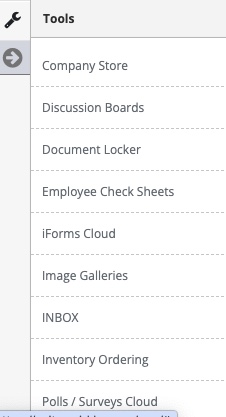
You will need to complete your Check Sheets in the following order:
- Sheet Template
- Sheet Categories
- Pick List
- Adding Questions
Step 1: Select 'Sheet Templates' from the in-app menu.

Step 2: Select 'Manage Items' from the actions button of the template you wish to interact with.
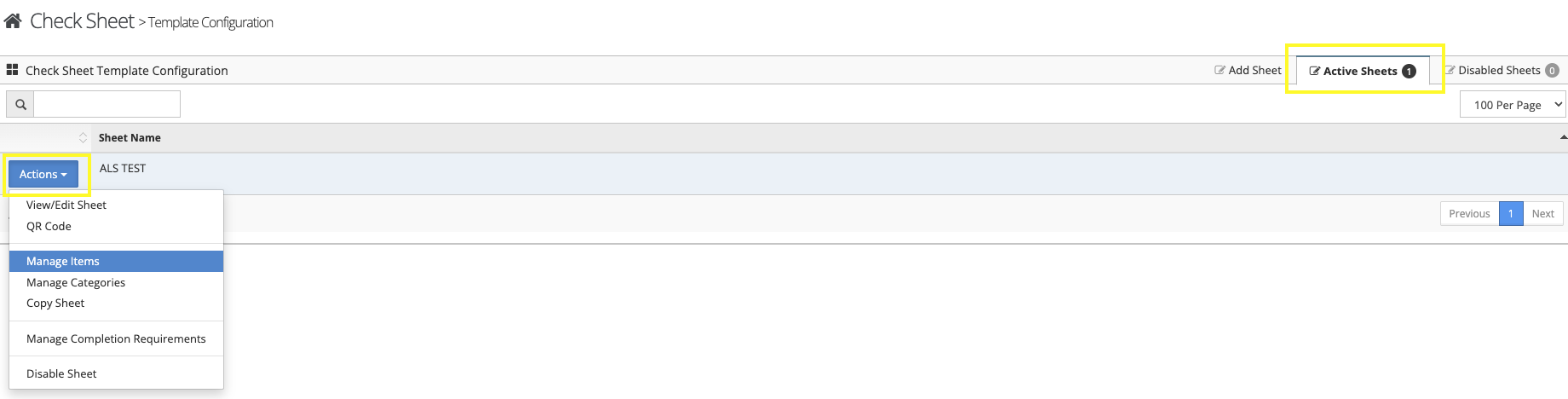
Step 3: Select the 'Add Item' tab to enter a new item.

Step 4: Follow the on-screen prompts to enter your item.
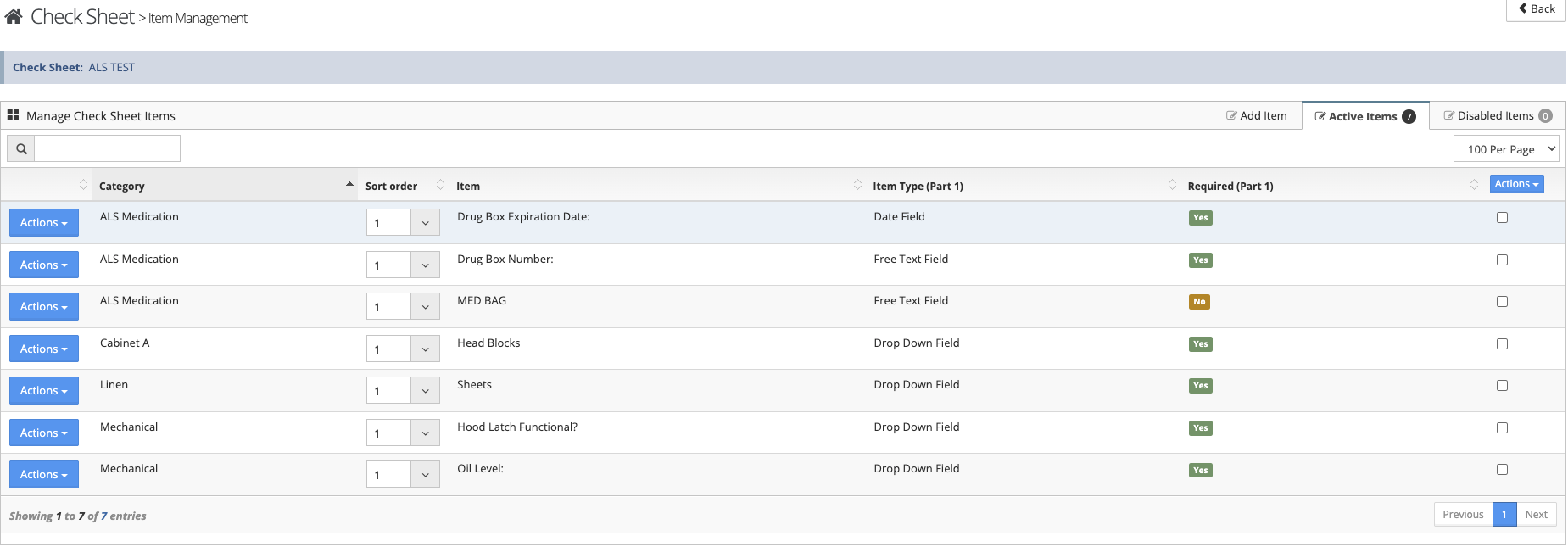
Step 5: From the 'Active Items' tab you can change the item sort order or make changes to the item from the actions button.
Additional information
- The item answer type cannot be changed on a created item, you will have to delete the item and recreate it with the new answer type.
- The 'Auto-Par Default' is a predetermined answer that can be populated by selecting the auto-par button. This button is category based and is controlled in that area.
- The 'Item Notes' field allows you to display any notes pertaining to that item.