Creating Check Sheets gives your employees a way to ensure they have all the items needed to perform their daily task. To configure check sheets follow the steps below.
Step 1: Log into the VAIRKKO Platform
Step 2: Access the Administrative area by clicking 'ADMIN' in the upper right-hand corner.
Step 3: Access 'Employee Check Sheets' from the Administrative Toolbar
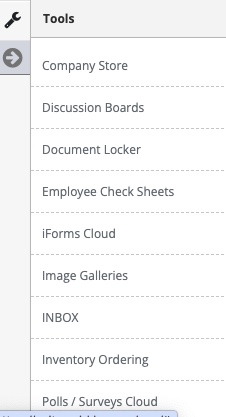
You will need to complete your Check Sheets in the following order:
- Sheet Template
- Sheet Categories
- Pick List
- Adding Questions
Step 1: Select 'Pick Lists' from the in-app menu.

Step 2: Select the 'Add New' tab to create a new pick list.
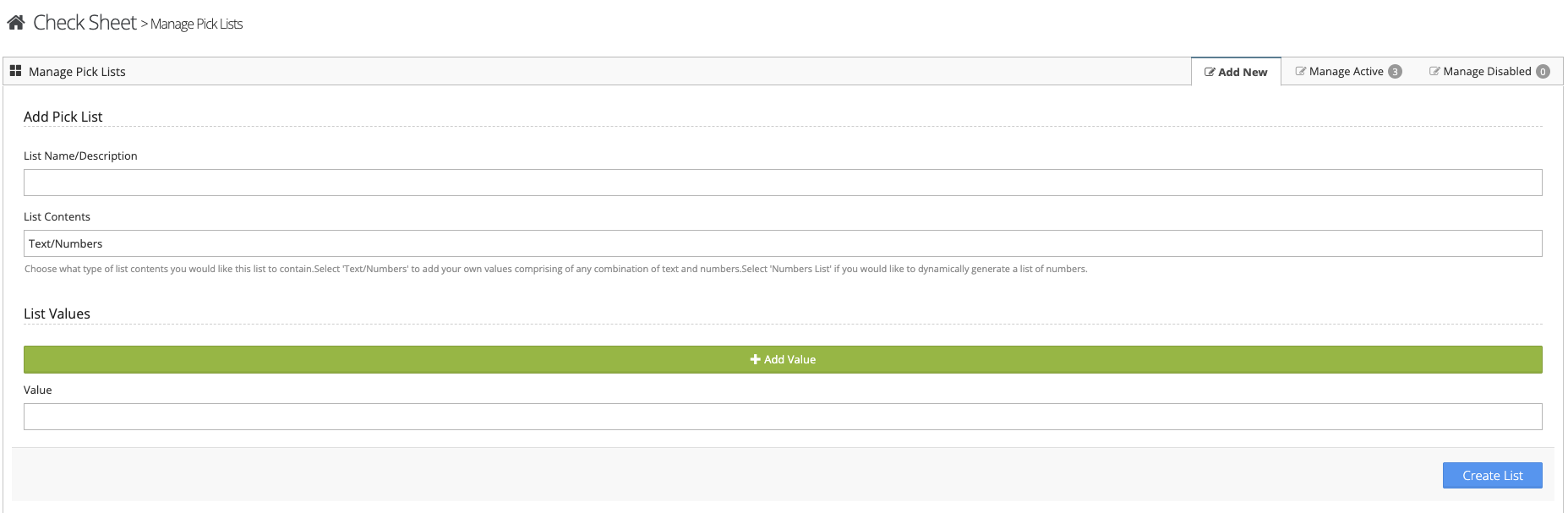
Step 3: Enter the name of your pick list, determine if it is a Text/Numbers List or a List of numbers. Enter your answers in the value field. More values can be added by clicking the 'Add Value' button.
Working with a created pick list
Step 1: Select the 'Manage Active' tab.
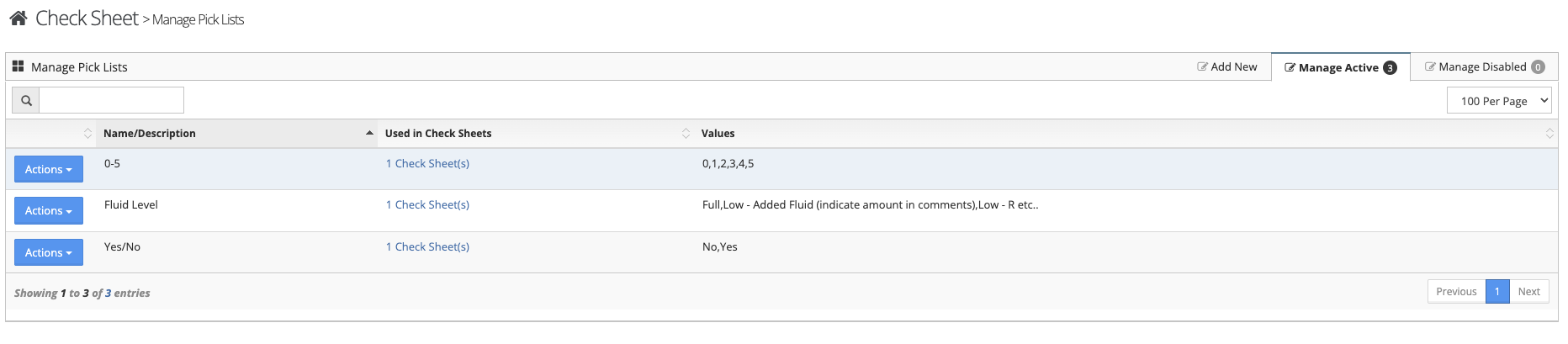
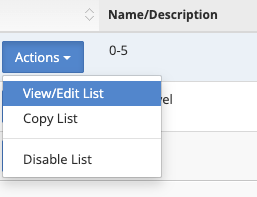
Step 2: Select 'View/Edit' from the actions button next to the pick list to make changes. Select 'Copy' to copy the list and 'Disable' to disable the list.
Additional Information
A picklist can be used for more than one check sheet.
Was this article helpful?
That’s Great!
Thank you for your feedback
Sorry! We couldn't be helpful
Thank you for your feedback
Feedback sent
We appreciate your effort and will try to fix the article