Inventory - Managing Security Groups
Step 1: Log in to the VAIRKKO platform.
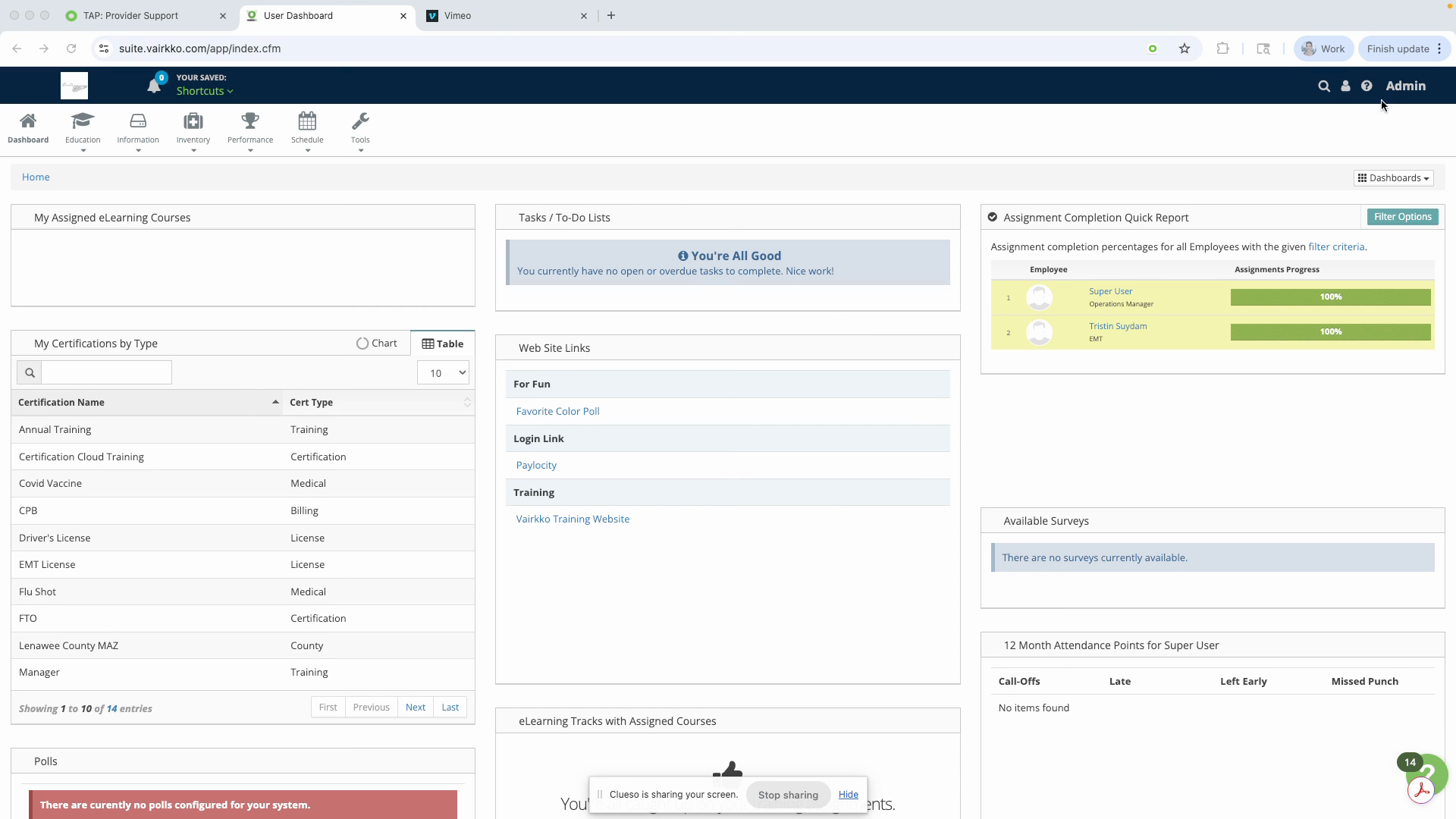
Step 2: Click Admin in the upper right corner to access the administrative area.
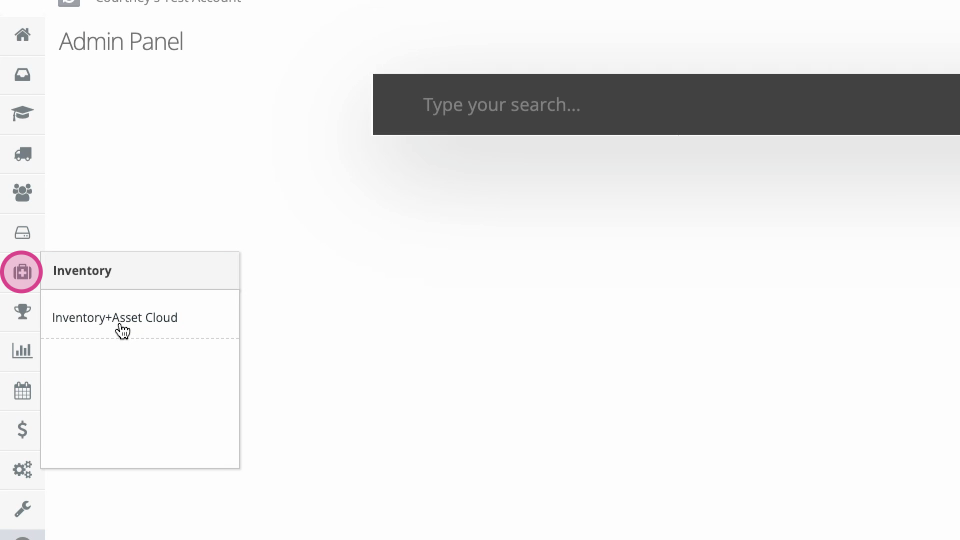
Step 3: Select the Inventory and Asset Cloud section.
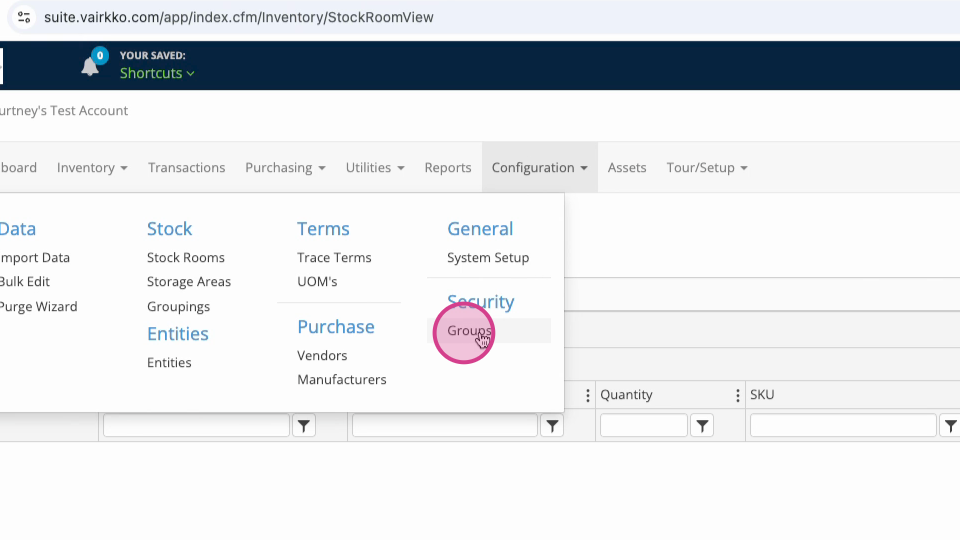
Step 4: From the top menu, go to Configuration > Security > Groups.
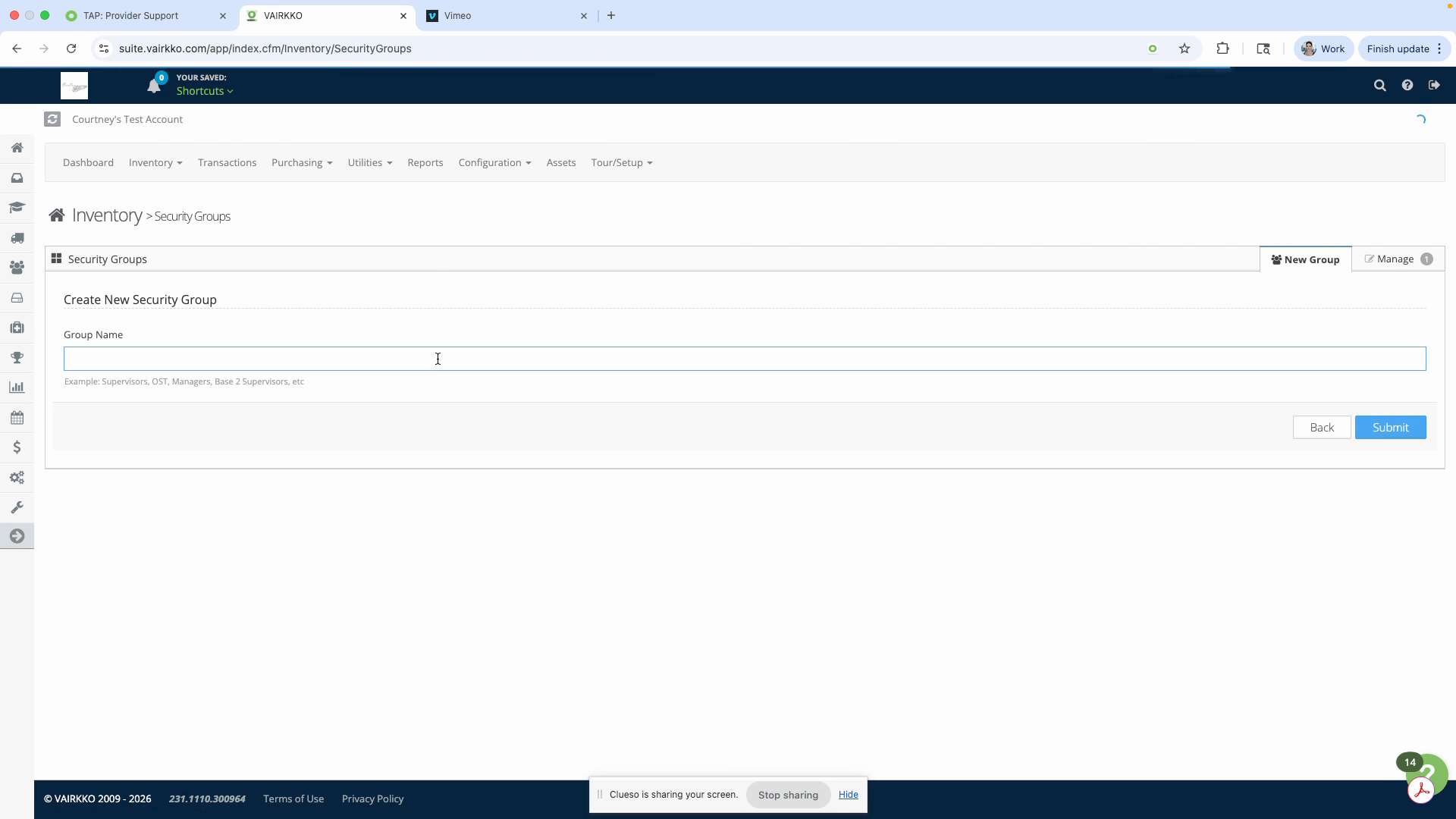
Step 5: To create a new security group, click Create Group, enter a name, and hit Submit.
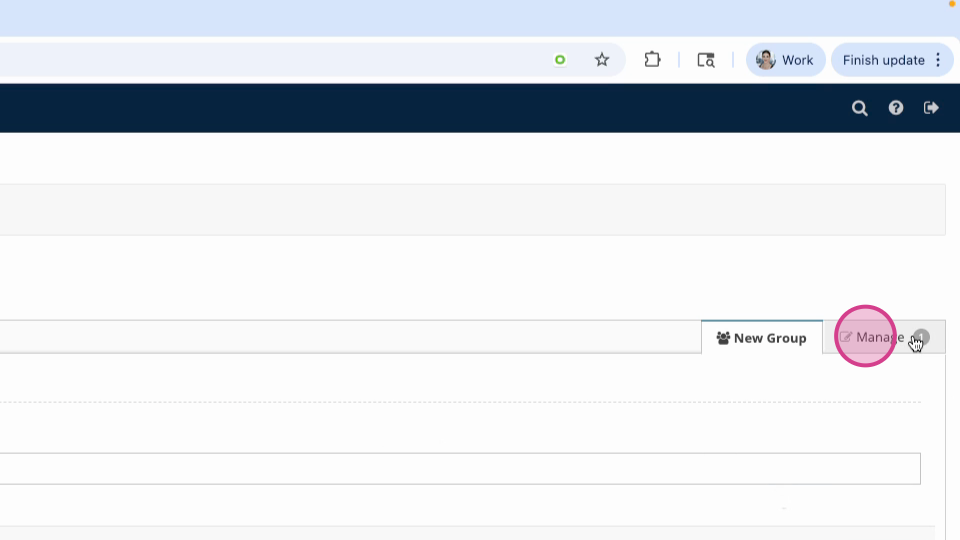
Step 6: To manage an existing group, switch to the Manage tab.
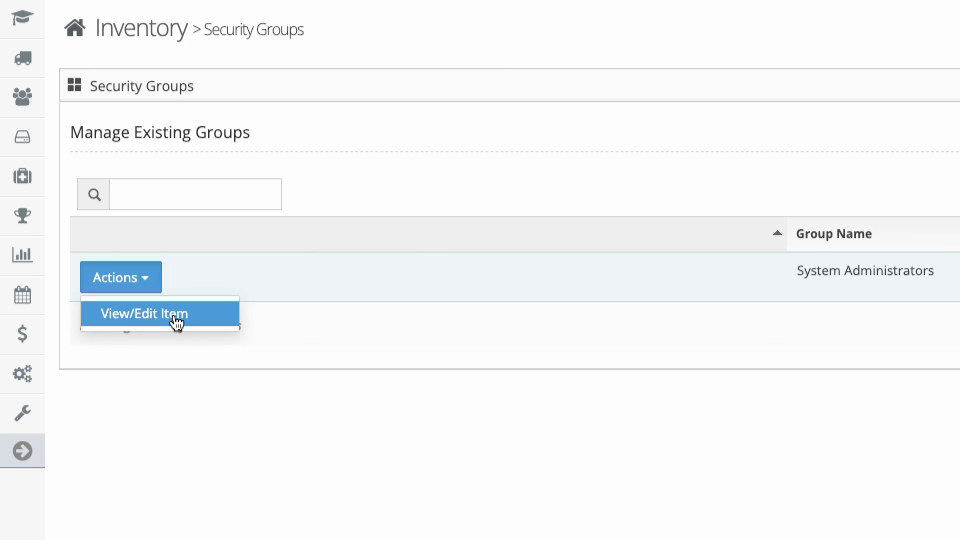
Step 7: Click the Actions button for the group you want to edit and select View and Edit.
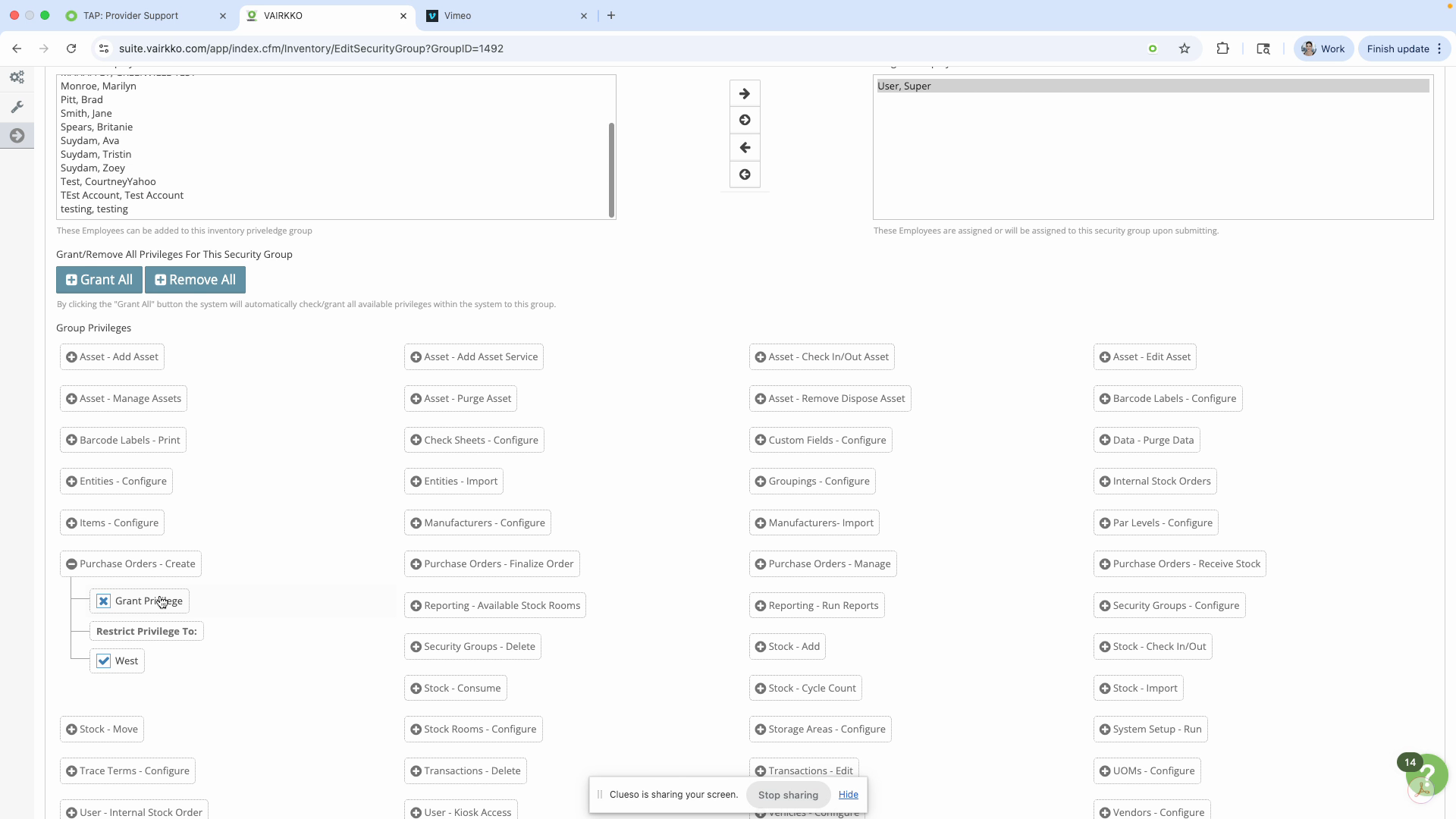
Step 8: From the group editing screen, add or remove users as needed. Grant all privileges, remove all privileges, or assign permissions based on specific stock rooms in your system.
Was this article helpful?
That’s Great!
Thank you for your feedback
Sorry! We couldn't be helpful
Thank you for your feedback
Feedback sent
We appreciate your effort and will try to fix the article