To configure your iForm templates follow the steps below.
Step 1: Log into the VAIRKKO Platform
Step 2: Access the Administrative area by clicking 'ADMIN' in the upper right-hand corner.
Step 3: Access the 'iForms Setup' from the Administrative Toolbar
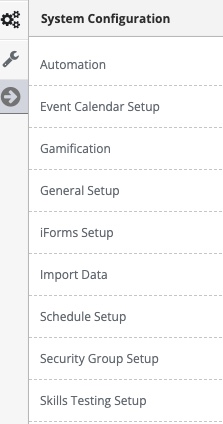
Step 4: Select 'iForm Categories' from the in-app menu
Step 5: Select 'Add Category' tab to enter a new category
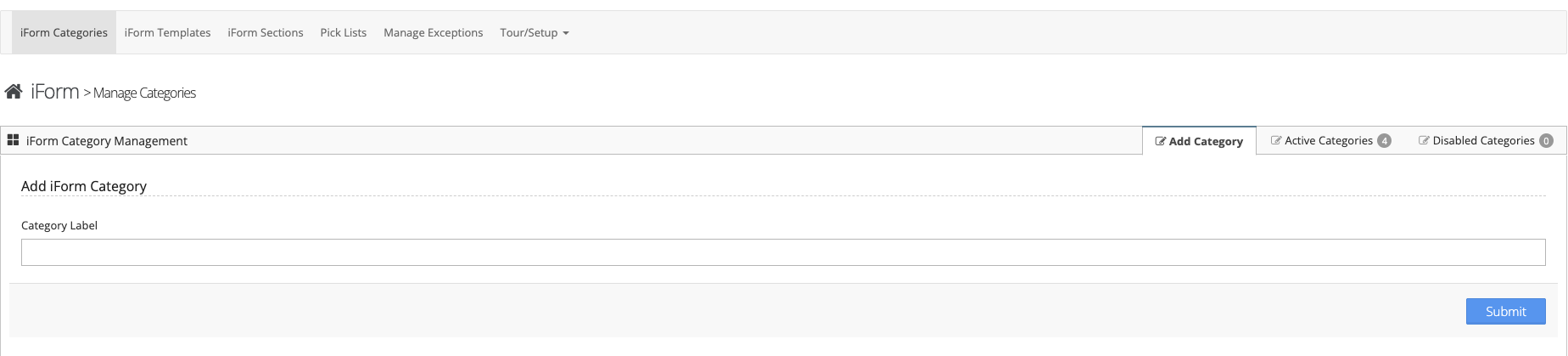
Step 6: Follow the on-screen prompts to configure your category
Managing Categories
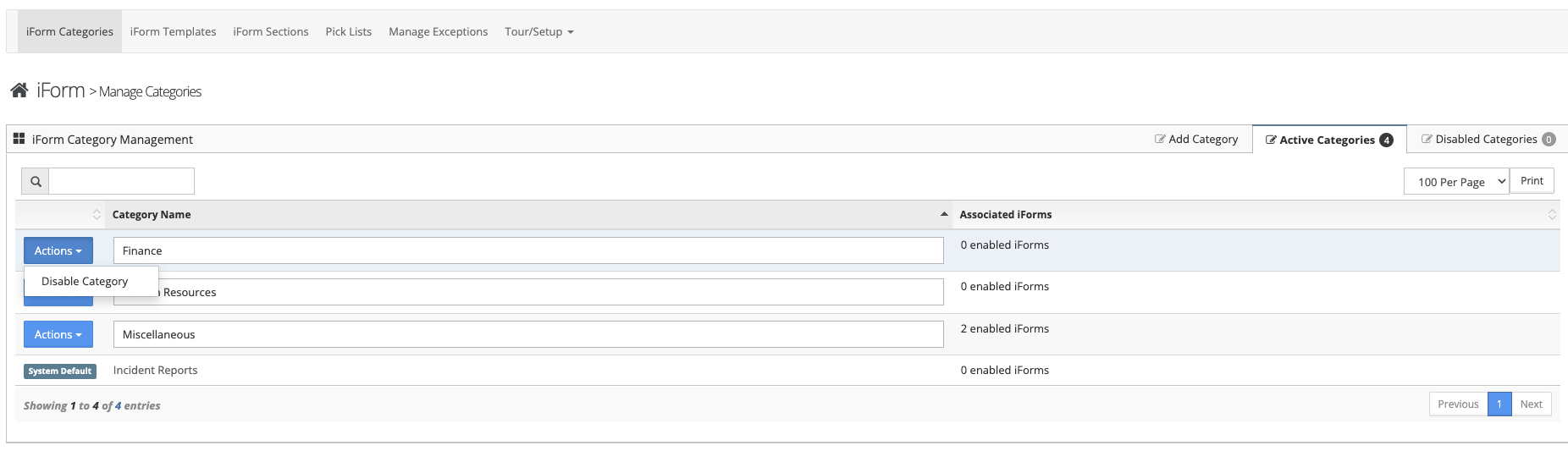
Step 1: Select the 'Active Categories' tab to interact with configured categories
Step 2: From the actions button you can disable the category. The category name can be changed from the manage area
What are the categories?
The categories are where the iForm will be stored. For example a Payroll related category could contain all your payroll iForms
Was this article helpful?
That’s Great!
Thank you for your feedback
Sorry! We couldn't be helpful
Thank you for your feedback
Feedback sent
We appreciate your effort and will try to fix the article