To add or change account information follow the steps below.
Step 1: Log into the VAIRKKO Platform
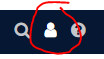
Step 2: Select the 'Person' icon in the upper right-hand corner
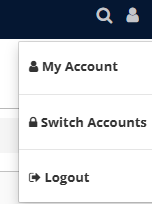
Step 3: Select 'My Account'
Step 4: Select the 'Account' tab

Step 5: From this tab, you can add/change the following areas:
- General Information - Employee name and gender information
- Contact Information - Secondary Email, Custom Username, and to use email or custom username as your login source
- Address Information - Employee's address
- Contact Information - Home Phone #, Cell Phone #, Cell Provider, Emergency Cell #, Emergency Cell Provider, Pager #, Pager Provider, Work Phone #, and Work Extension.