Shortcuts within the VAIRKKO Platform allow you to access frequently visited pages with ease. To create or use a shortcut follow the steps below.
Step 1: Log into the VAIRKKO Platform
Step 2: Access the page you wish to make a shortcut
Step 3: Select the 'Shortcut' area
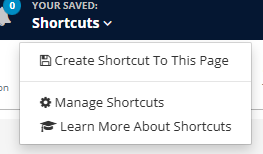
Step 4: Select the 'Create Shortcut to this Page' option
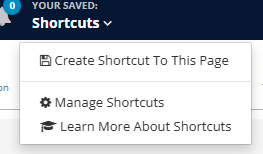
Step 5: Follow the on-screen prompts to complete the process
Step 6: To access your shortcuts select the shortcut icon and then select the page