To add events to calendar follow the steps below.
Step 1: Log into the VAIRKKO Platform.
Step 2: Select 'Admin' in the upper-right hand side of the screen.
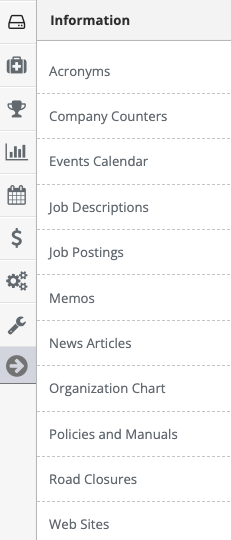
Step 3: Access 'Events Calendar' from the Administrative Toolbar
Step 4: Select the 'Create New' tab
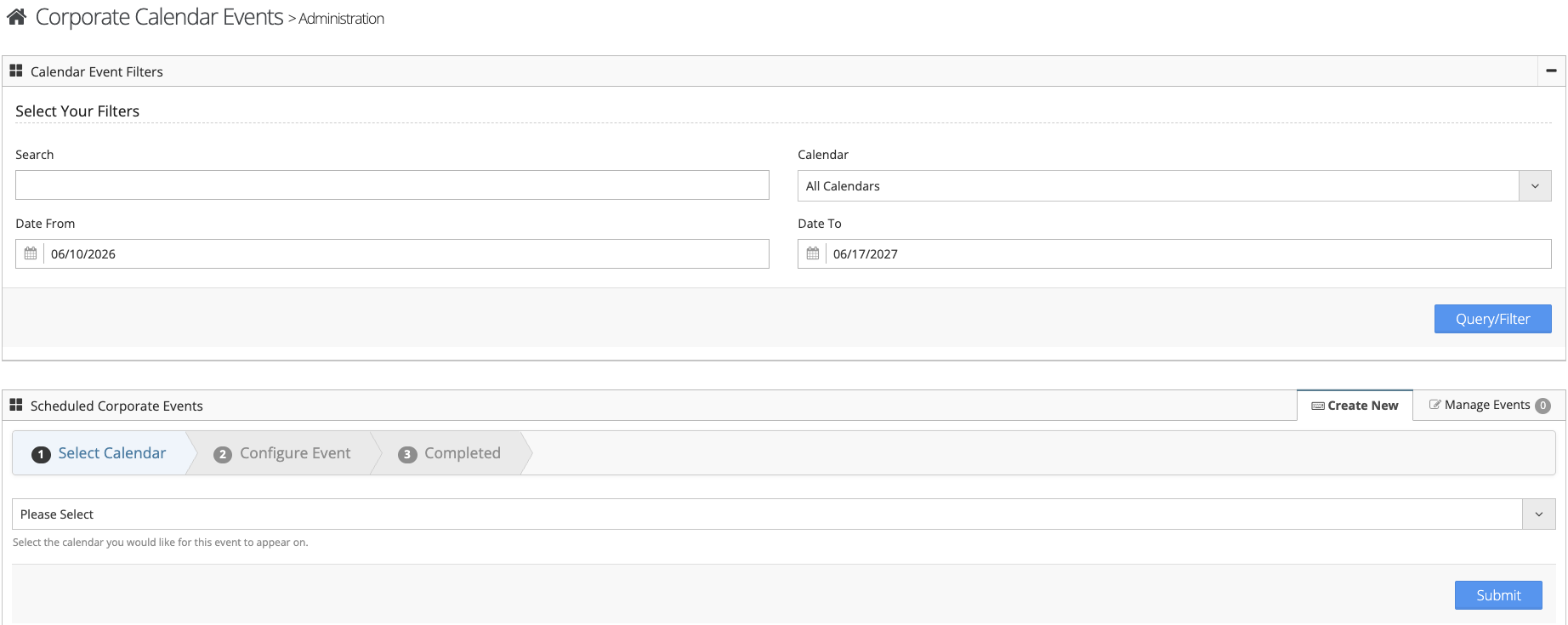
Step 5: Follow the on-screen prompts to enter your event
Managing Events
Step 1: Select the 'Manage Events' tab
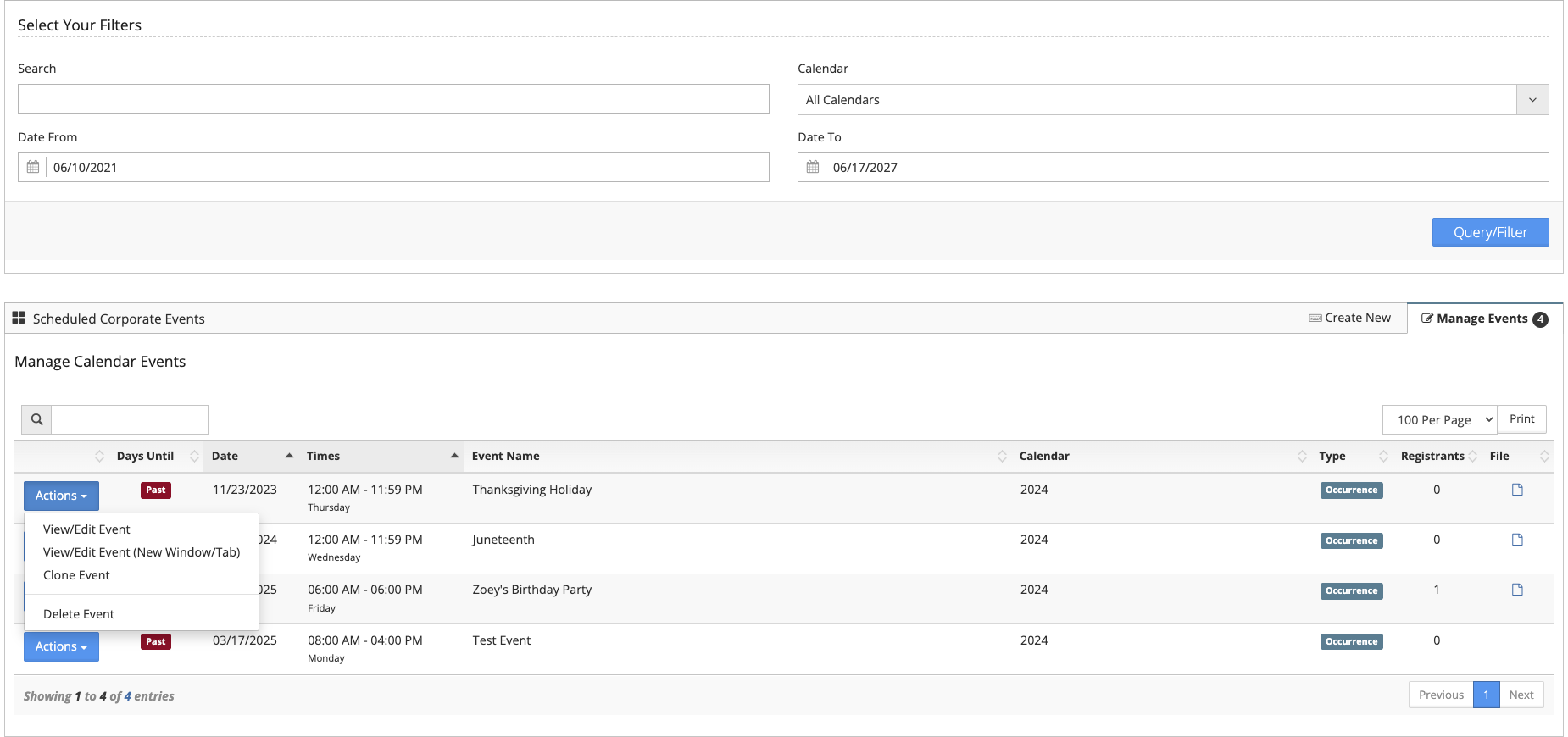
Step 2: From the actions button next to the event you can View/Edit the event, view any registrants or delete the event