To work with created Pattern Templates follow the steps below.
Step 1: Log into the VAIRKKO Platform
Step 2: Access the Administrative area by clicking 'ADMIN' in the upper right-hand corner.
Step 3: Access the 'Schedule Setup' from the Administrative Toolbar
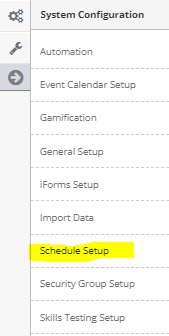
Step 4: 'Configuration' from the in-app menu

Step 5: Select 'Pattern Templates' located under the Patterns header in the in-app menu

Step 7: From the actions button next to your Pattern Template you can Edit, Copy, or Disable the template
Editing a Template
- You can change the shift associated with a day by clicking the shift

- To make changes to multiple weeks use the Multiple Week Update function

Copying a Template
If you need to create a duplicate template but with a different resource simply copy the template and use the Multiple Week Update function to change the required resource
Reusing a Pattern Template
You can assign a created pattern to multiple people by simply selecting different starting weeks.