To add created patterns to employees follow the steps below.
Step 1: Log into the VAIRKKO Platform
Step 2: Access the Administrative area by clicking 'ADMIN' in the upper right-hand corner.
Step 3: Access the 'Schedule Setup' from the Administrative Toolbar
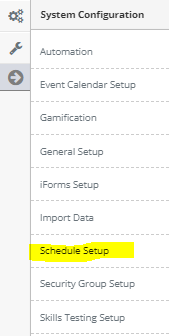
Step 4: 'Configuration' from the in-app menu

Step 5: Select 'Pattern Assignments' located under the Patterns header in the in-app menu

Step 6: Select the 'Add Assignment' tab
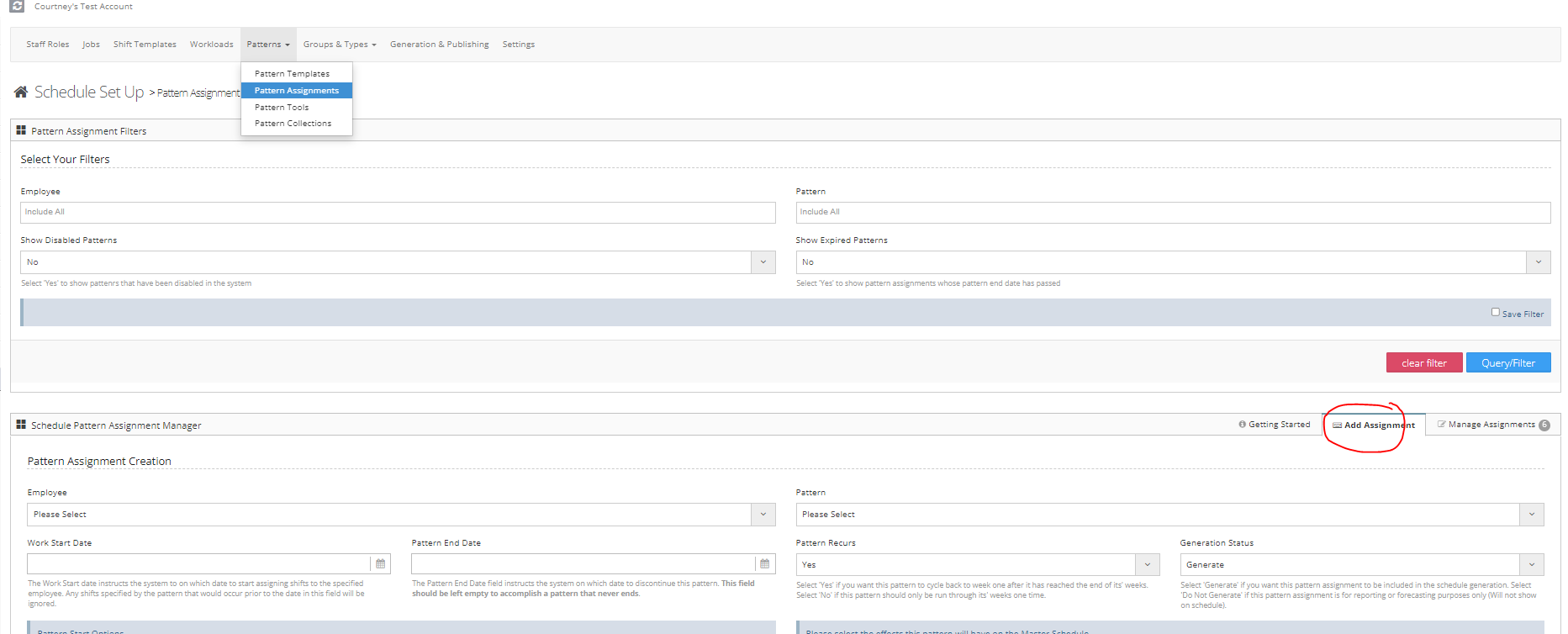
Step 7: Follow the on-screen prompts to assign your pattern. Read the additional information area below for more.
Additional Details
- Employee - The employee being assigned the pattern
- Pattern - The pre-configured pattern you are assigning to the employee
- Work Start Date - The first the employee will be working the assigned pattern
- Pattern End Date - The last date the employee will work the pattern. If the pattern does not end leave blank
- Pattern Recurrs - Do you want the pattern to cycle back to week one when it ends?
- Pattern Start Options - If the pre-configured pattern has multiple weeks which week do you want it to start on?