To configure your Dynamic Routing Pick List continue reading below.
Step 1: Log into the VAIRKKO Platform
Step 2: Access the Administrative area by clicking 'ADMIN' in the upper right-hand corner.
Step 3: Access the 'iForms Setup' from the Administrative Toolbar
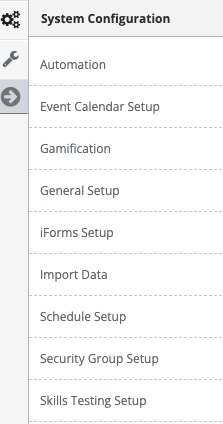
Step 4: Select 'Pick Lists' from the in-app menu
Step 5: Select the 'Add New' tab to create a pick list
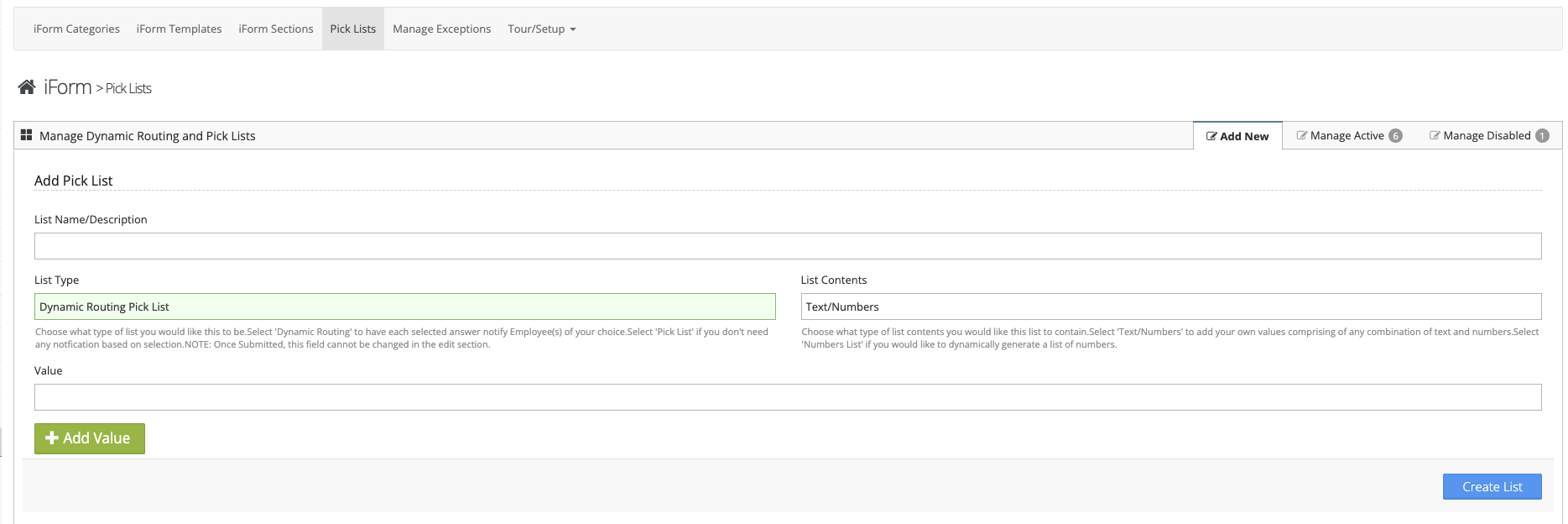
Step 6: Follow the on-screen prompts to configure your list and select 'Dynamic Routing Pick List' under List Type
- List Name/Description - The name of the list or a brief description
- List Type - Pick List (No Routing) or Dynamic Pick List
- List Contents - Text/Numbers or Number List
- Value - List item value, to add additional items select the 'Add Value' button
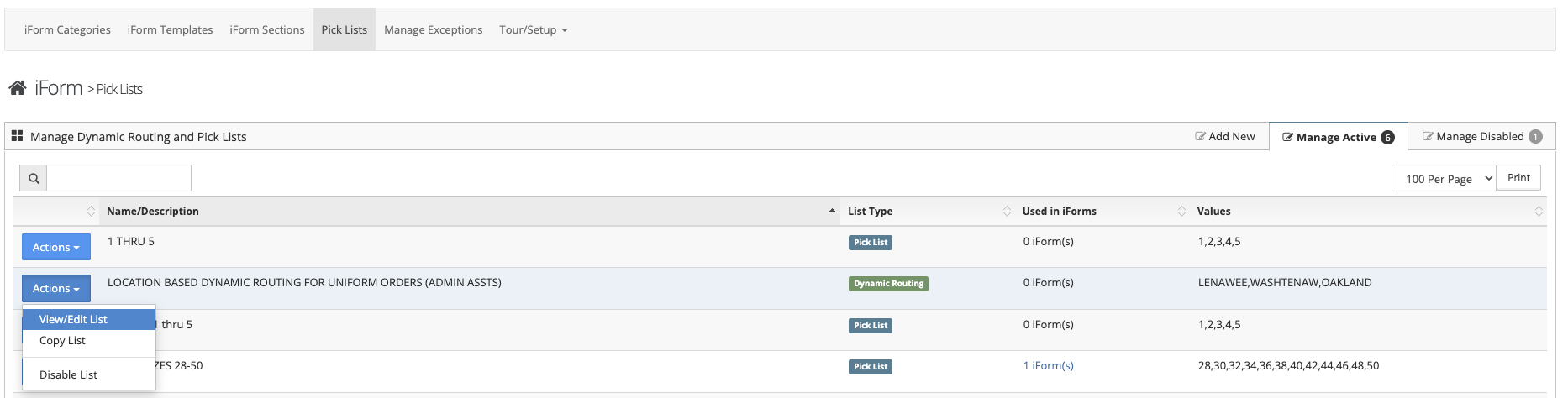
Step 7: Select the 'View/Edit List' options from the Actions Button next to your created Dynamic Routing Pick List
Step 8: Enter employees to be notified or assigned to the iForm based on the answer
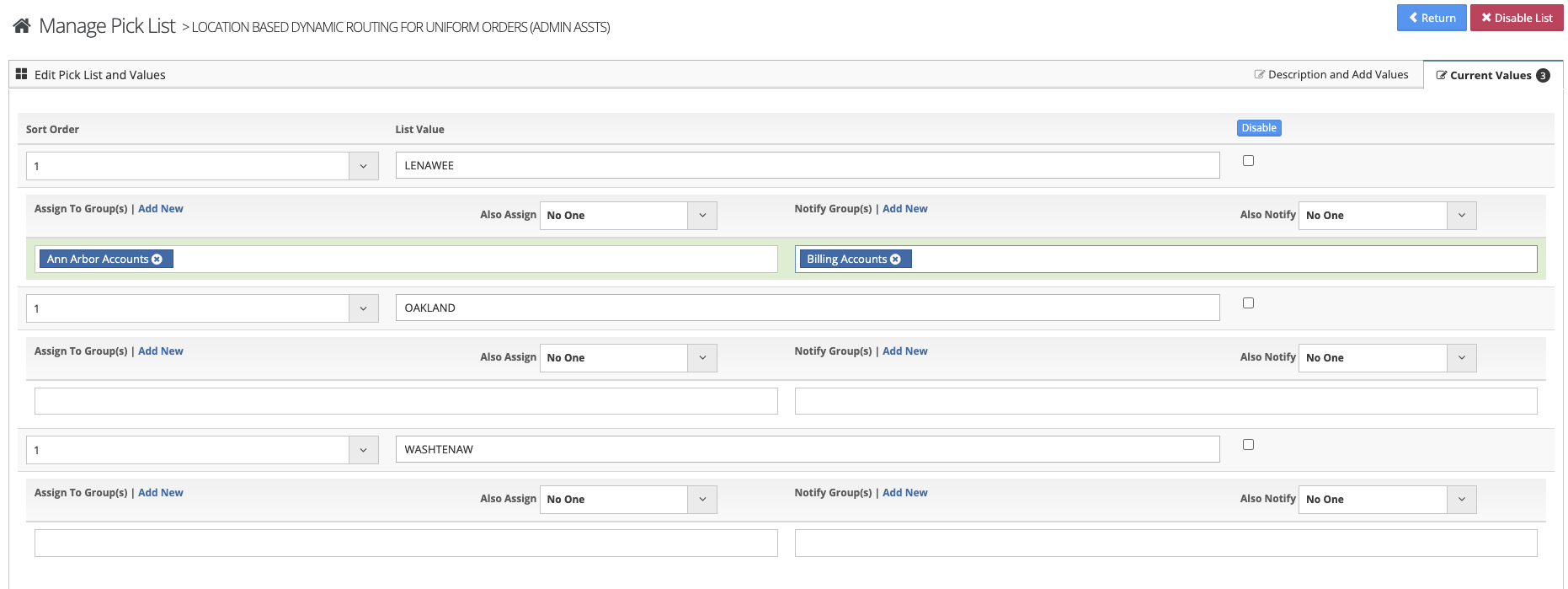
Dynamic Routing Pick List Example
- List Name - Shift
- Line Items - A-Shift, B-Shift, C-Shift
- Dynamic Routing - If A-shift is selected auto-assign the iForm to the employee group for this item
Additional Information
- Pick List Items can be sorted by selecting 'View/Edit List' and entering the 'Current Values' tab
- The names of your pick list items can be changed by selecting 'View/Edit List' and entering the 'Current Values' tab
- Individual list items can be disabled by selecting 'View/Edit List' and entering the 'Current Values' tab, then check the box next to the item you wish to disable
- You can add additional values by selecting the 'View/Edit List' and then the 'Description and Values' tab
Pick List (No Routing) vs. Dynamic Routing Pick List
- Dynamic Routing Pick List allows you to configure your Pick List to notify a specific employee based on the answer you Employee provides.
- Pick List (No Routing) will not send specific notifications based on an employees selection
Important Information
Once you have created a List Type you can not change this type in the future. For example, a created Dynamic Routing Pick List cannot be changed to a Pick List (No Routing)