To create and manage notables follow the steps below.
Step 1: Log into the VAIRKKO Platform
Step 2: Access the Administrative area by clicking 'ADMIN' in the upper right-hand corner.
Step 3: Access 'Fleet Cloud' from the Administrative Toolbar
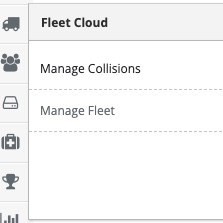
Step 4: Select 'Manage Notables' from the in-app menu.
Step 5: Select the 'New Notable' tab to enter a new notable.
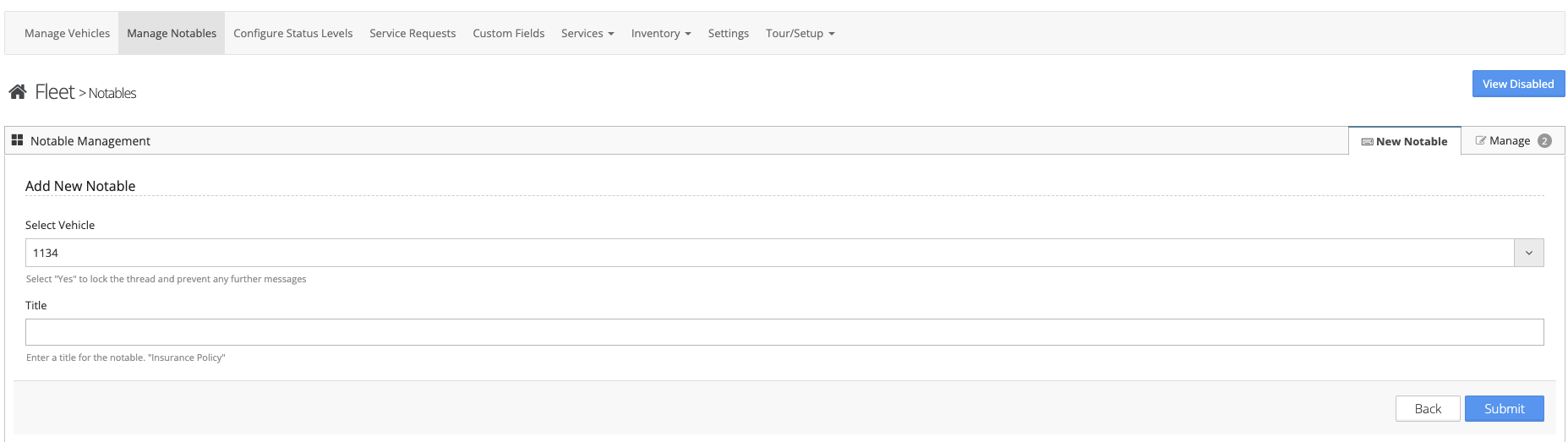
Step 6: Enter the vehicle this notable relates to and the title of the notable
Step 7: Follow the on-screen prompts to enter your notable
Additional Information
- Notables - Notables are any information relating to the vehicle that is important or you would like a reminder for
- Notable Examples -
- Insurance Policies
- Vehicle Registration
- Inspection Information