Use Channel Security settings in Chatter to control access and permissions for specific channels.
How to Configure Channel Security
Step 1: Open Chatter
Click the Chatter icon, then select “Go To Chatter.”
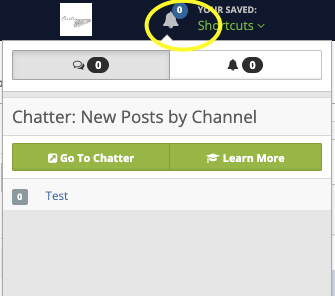
Step 2: Open Channel Settings
Click the gear icon next to Channels.
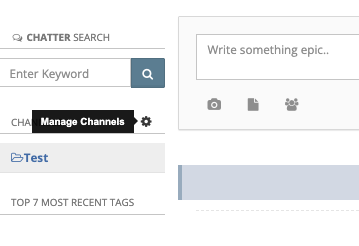
Step 3: Select a Channel
Locate the channel you want to manage and click the lock icon.

Step 4: Configure Security Settings
Follow the on-screen prompts to:
- Adjust access permissions
- Control who can view or interact with the channel