You can update a channel’s name or remove it entirely using the channel settings in Chatter.
How to Edit or Delete a Channel
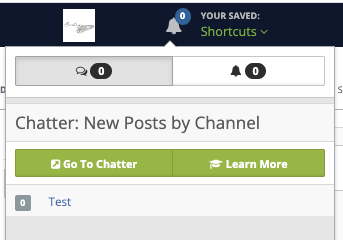
Step 1: Open Chatter
Click the Chatter icon, then select “Go To Chatter.”
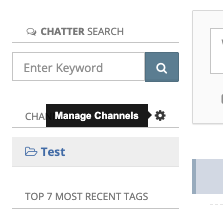
Step 2: Open Channel Settings
Click the gear icon next to Channels.
Step 3: Edit or Delete
Locate the channel and choose one of the following:
- Click the pencil icon to edit the channel name
- Click the trashcan icon to delete the channel

⚠️ Important
- Deleting a channel may remove associated messages and content
- This action may not be reversible