Certifications Pending Approval
Follow the steps below to review and approve or deny certifications submitted by employees.
How to Access Pending Certifications
Step 1: Log In
Log into the VAIRKKO platform.
Step 2: Access Admin
Click “Admin” in the upper right-hand corner.
Step 3: Open Certification Cloud
From the Administrative toolbar, select “Certification Cloud.”
Step 4: Open Pending Approval
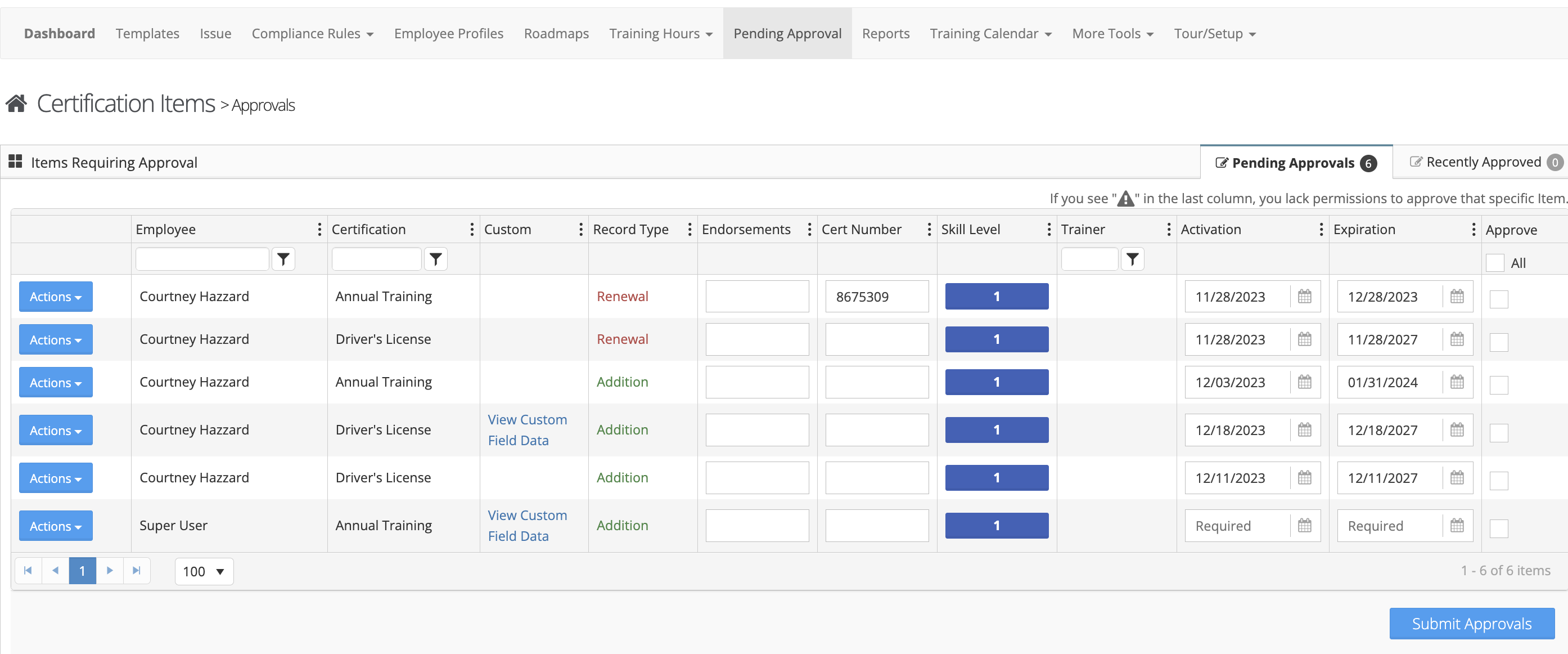
From the in-app menu, select “Pending Approval.”
Review and Take Action
Step 5: Approve or Deny Certifications
From the Pending Approval area, you can:
- Approve newly submitted certifications
- Deny certifications that do not meet requirements
- Review recently approved certifications
Additional Information
- Pending approval notifications are sent to users designated to receive certification-related notifications within the certification template
- These notifications are controlled by the Certification Monitoring settings