Preceptors are instructors/trainers or preferred employees that will display to third riders when selecting shifts to ride on.
Step 1. Log into the Vairkko Platform
Step 2: Select 'Admin' in the upper-right hand side of the screen.
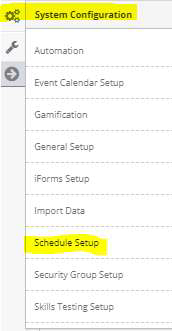
Step 3: Access ‘Schedule Setup’ from the Administrative Toolbar
Step 4: Access ‘Riders’ from the in-app menu

Step 5: From the ‘Preceptor Groups’ area select an existing group within your organization with
members that you would like to be preceptors. To add a new group at this time select ‘Add
New’ and follow the on-screen prompts
