To configure granular security follow the steps below.
You will need to complete Steps 1-6 found in the Security Group Setup Article.
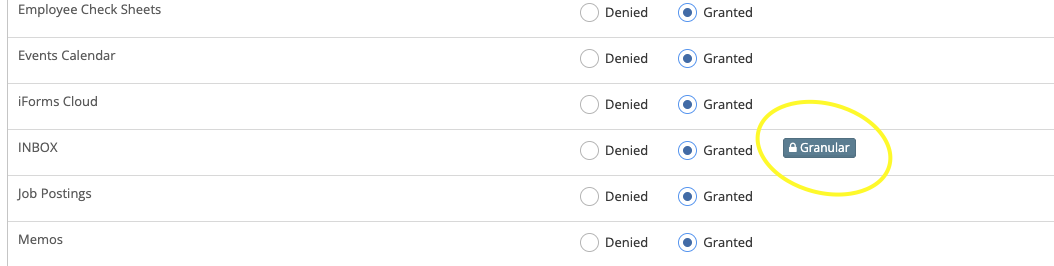
Step 1: Select 'Granular' next to the level you wish to configure.
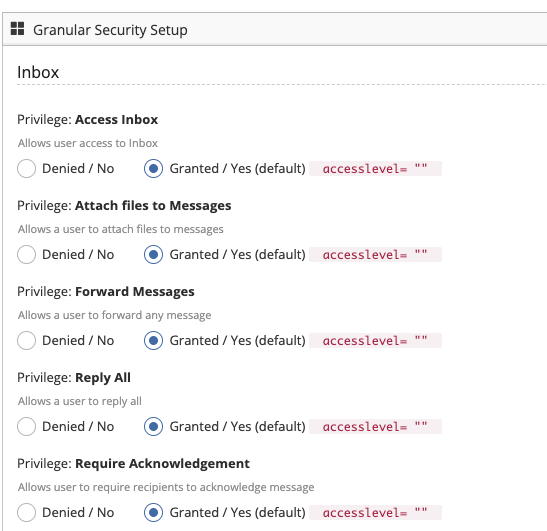
Step 2: Grant or Deny access to individual features within the selected cloud.
Step 3: Press submit to save your changes.
Was this article helpful?
That’s Great!
Thank you for your feedback
Sorry! We couldn't be helpful
Thank you for your feedback
Feedback sent
We appreciate your effort and will try to fix the article