To create or interact with your created Departments follow the steps below.
Step 1: Log into the VAIRKKO Platform
Step 2: Access the Administrative area by clicking 'ADMIN' in the upper right-hand corner.
Step 3: Access the 'General Setup' from the Administrative Toolbar
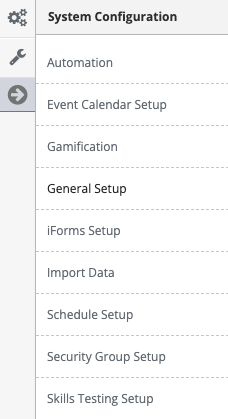
Step 4: Select 'Departments' from the in-app menu.
Step 5: Select the 'New Department' tab to add a department
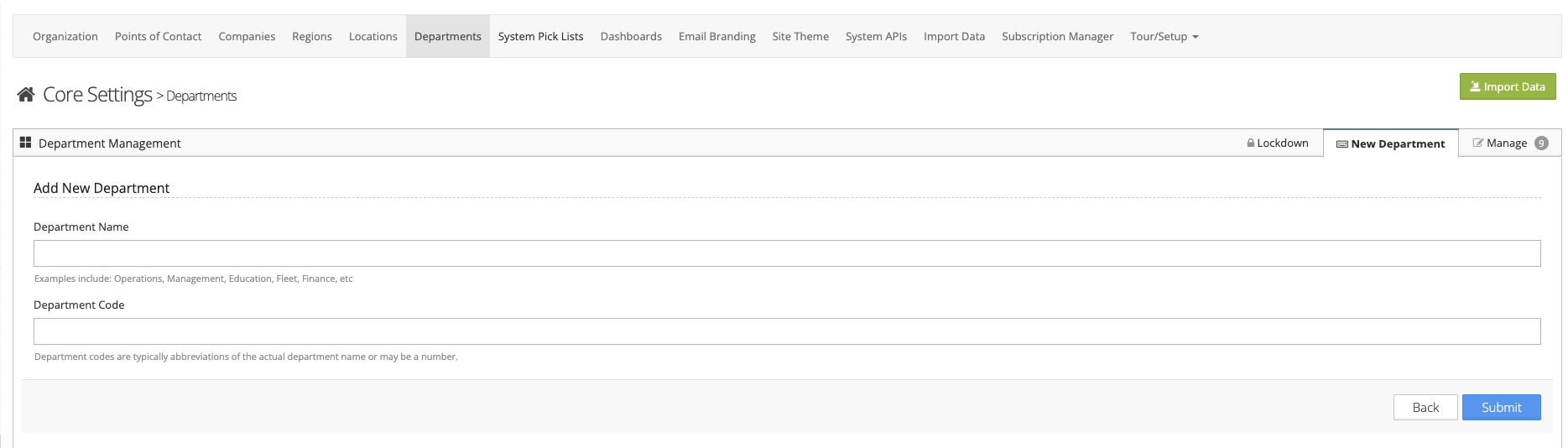
Step 6: Follow the on-screen prompts to configure your Department.
Managing Departments
Step 1: Select the 'Manage' tab
Step 2: You can view/edit or delete the department from the Actions button next to the Department you wish to interact with.
Locking Agency Down by Department
To lock your Agency by Department click the Lockdown tab.