To submit a configured checksheet follow the steps below.
Step 1: Log into the VAIRKKO Platform
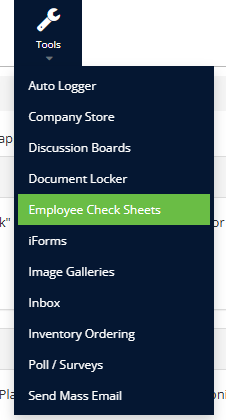
Step 2: Select 'Employee Checksheets' from the in-app menu
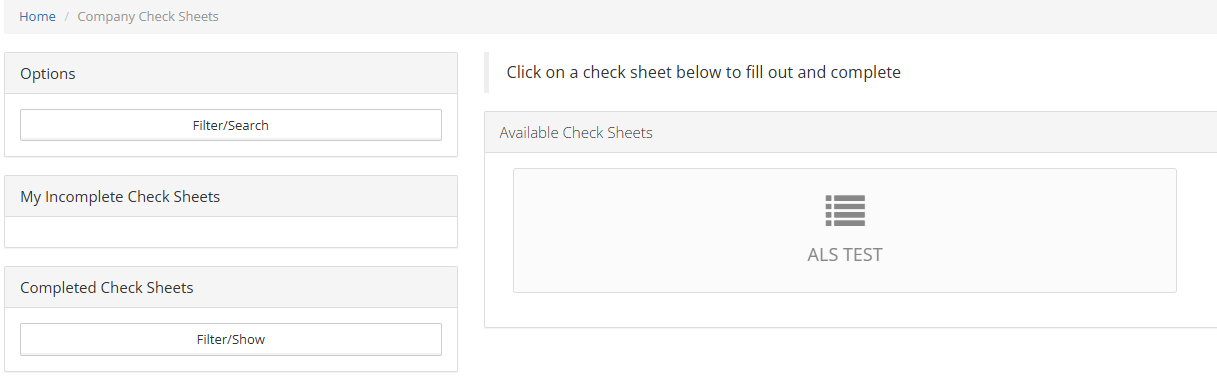
Step 3: Select the checksheet you wish to submit
Step 4: Follow the on-screen prompts to complete your checksheet
Additional Information
- From the options area, you can search for a specific checksheet to submit. The incomplete checksheet area shows you all the checksheets you have yet to finish. The completed checksheet area shows you all the completed checksheets that have been submitted by vehicle.
- The 'Save Progress' button will save the progress for the category the button is linked to
- If your agency allows files to be attached you can attach image files and others.
Was this article helpful?
That’s Great!
Thank you for your feedback
Sorry! We couldn't be helpful
Thank you for your feedback
Feedback sent
We appreciate your effort and will try to fix the article