When an assignment is created in the VAIRKKO Platform the employee is issued a delegated task that is assigned by the employee creating the assignment. For example, if John assigns Frank an eLearning course to take the platform will create a task for Frank with John being the creator of the task.
Step 1: Log into the VAIRKKO Platform.
Step 2: Access the Task area by clicking the Bell in the upper left-hand area of your dashboard. If you have any unviewed Task this Bell will be red.

Step 3: Click the bell icon to display your task.
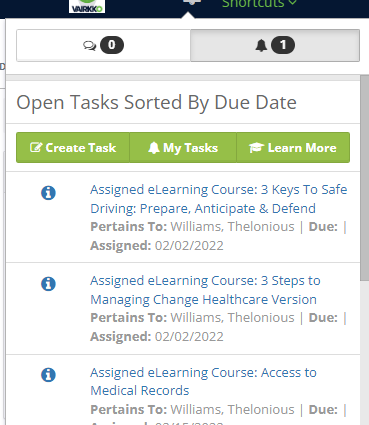
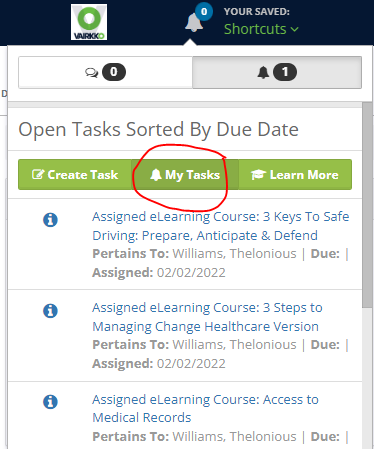
Step 4: Click on the "My Task" button.
Step 5: Click on the "Delegated" tab to display all delegated tasks assigned by the logged-in employee.
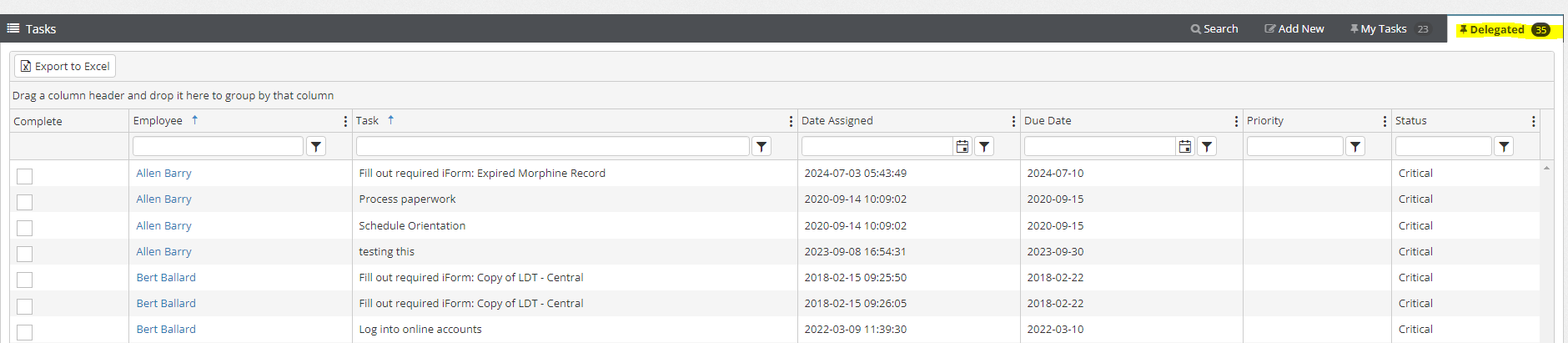
Step 6: Check the box next to the task to mark it as complete
Was this article helpful?
That’s Great!
Thank you for your feedback
Sorry! We couldn't be helpful
Thank you for your feedback
Feedback sent
We appreciate your effort and will try to fix the article