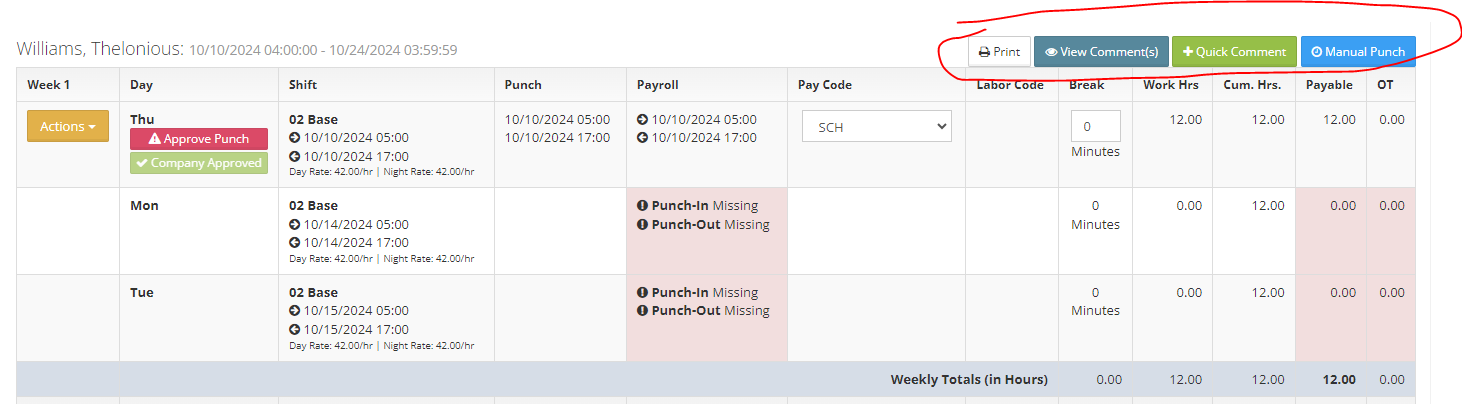
To view your time card follow the steps below.
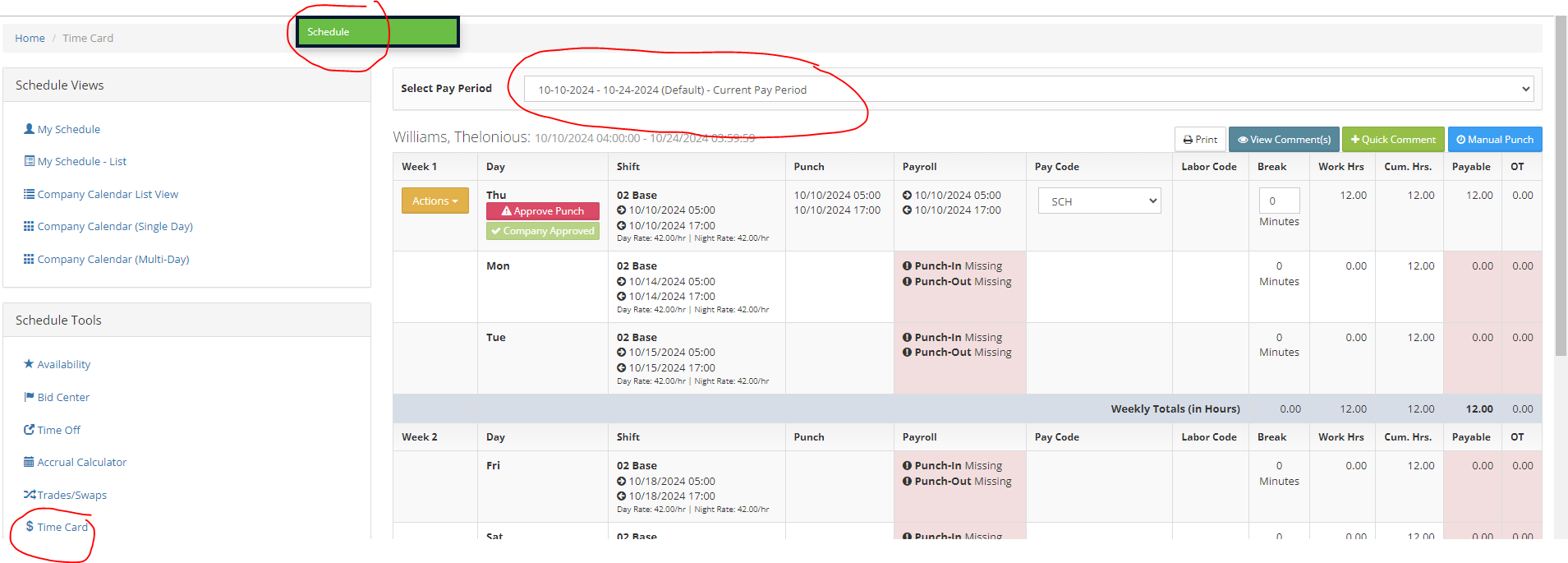
Step 1: Log into the VAIRKKO Platform
Step 2: Select 'Schedule' from the in-app menu
Step 3: Select 'Time Card' under schedule tools
Step 4: Select the pay period you wish to view
Additional Information
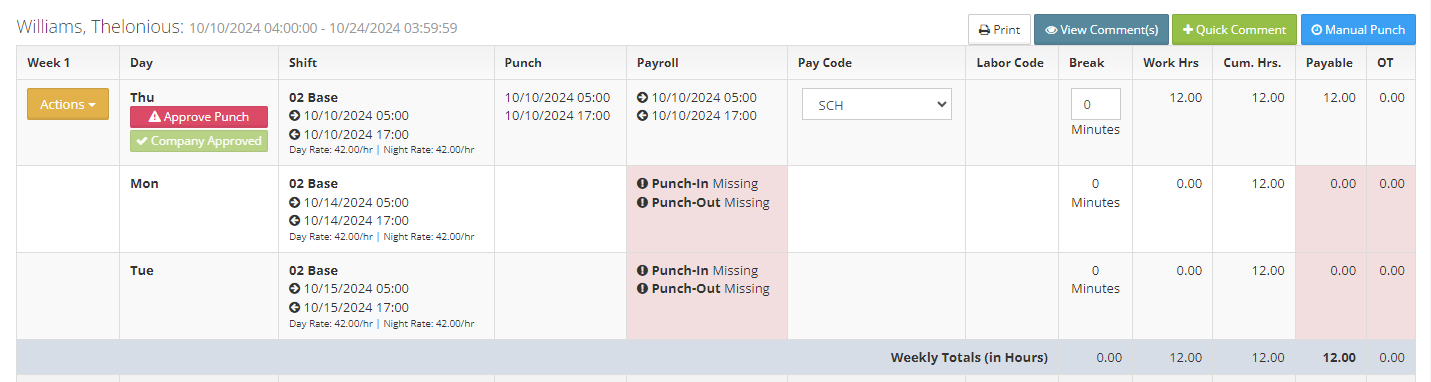
- Shift - The shift and hours you are scheduled to work
- Punch - This reflects the hours you clocked in and out for
- Payroll - The amount of time the employee will be paid for in regards to this shift
- Pay Code - The pay code associated with these hours
- Labor Code - Labor code associated with these hours
- Break - Any non-payable break hours
- Payable - Total payable hours for this shift
- OT - Total overtime for this shift
- You can print your time card, view general time card comments, or enter a general comment