To add an ad-hoc shift to an already created slot.
Step 1: Log into the VAIRKKO Platform
Step 2: Access the Administrative area by clicking 'ADMIN' in the upper right-hand corner.
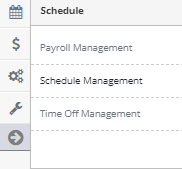
Step 3: Access the 'Schedule Management' from the Administrative Toolbar
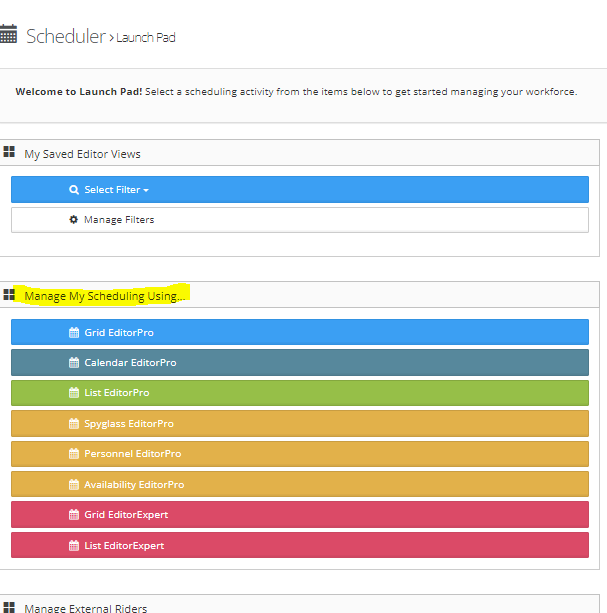
Step 4: Access the schedule by selecting either the Grid Editor (Pro & Expert), List Editor (Pro & Expert), or the Personnel Editor
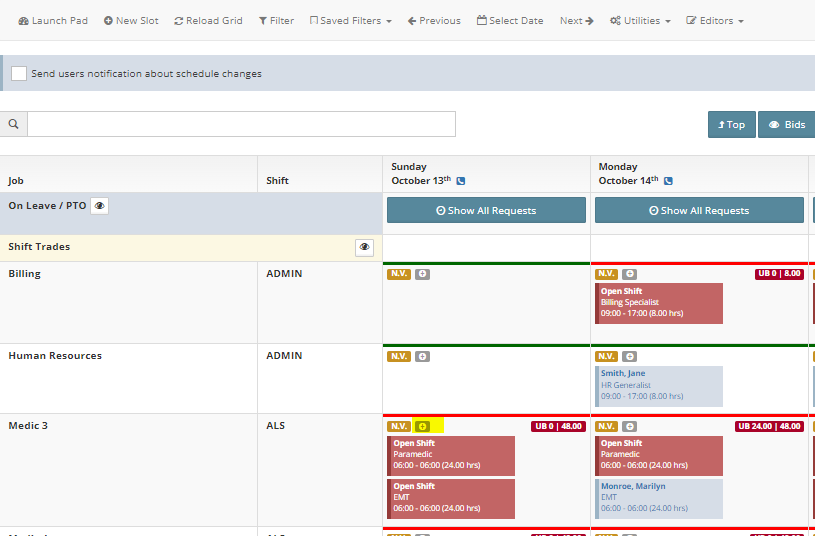
Step 5: Select the "+" icon in the schedule slot you want to add the slot to
Step 6: Follow the on-screen prompts to create your new slot
Additional Information:
- The following items will need to be added to the new slot:
- Employee
- Staff Role
- Start and End Time
- This functionality can be found on the list editor by selecting the button next to the shift and then the new slot from the manage slot area.