To set up your administrative settings follow the steps below
Step 1: Log into the VAIRKKO Platform
Step 2: Access the Administrative area by clicking 'ADMIN' in the upper right-hand corner.
Step 3: Access the 'Schedule Setup' from the Administrative Toolbar
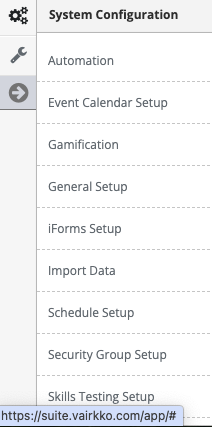
Step 4: 'Administrative' from the in-app menu

Step 5: Follow the on-screen prompts to configure the following settings:
- Look For Future Open Shifts - This setting tells the system how far to look into the future for open shifts and when to notify the groups of these shifts located on your shift templates
- Show Partners to Crew Members - Allows crew members to see their partner on any given day.
- Allow Adding of Rider Associations - This allows adding outside riders to your schedule.
- Employee Notification Default - Sets the default notification status when placing an employee into an open shift.
- Job Grid Read Only Access - Administrative names listed here can only read the schedule, these employees can not make changes to the schedule.
- Job Grid Height - Determines the overall height of the Job Grid.
- Max Days to Display in Job Grid - Determines how many days can be viewable on the job grid.
- Admin Access to Self Edit - This allows any employee with administrative access to the schedule to update a slot they are assigned to.
- Slot Editor Validations - Tells the platform what factors you want to look for when validating an employee for a shift.