To configure the Behavioral tracking settings read below.
Step 1: Log into the VAIRKKO Platform
Step 2: Access the Administrative area by clicking 'ADMIN' in the upper right-hand corner.
Step 3: Access the 'HR Cloud' from the Administrative Toolbar
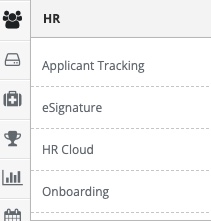
Step 4: Select the 'Behavioral Tracking' from the in-app menu

Step 5: Select 'Settings' from the in-app menu where you can select 'Policies' or 'Settings'

Policy Option
- This option takes you to the Policy Manual area where you can configure your manuals
Settings Area
Notifications Group - Group to be notified when an event is entered or updated
Default Actions - Assigns a default Action to events
Rank Security - Additional Security for Behavioral Tracking enable or disable
Rank Security
- Rank security allows you to configure what events an employee with administrative access to Behavioral Tracking can see
- This security is numeric-based
- An employee who hs a rank or #1 can only see events for employees that have a higher number.
- Employees can not see events if the employee's rank is equal
- Rank can be entered from the Manage accounts area of the HR Cloud
Was this article helpful?
That’s Great!
Thank you for your feedback
Sorry! We couldn't be helpful
Thank you for your feedback
Feedback sent
We appreciate your effort and will try to fix the article