Question Banks allow you to store and manage test questions that can be reused across multiple courses.
How to Create a Question Bank
Step 1: Log In
Log into the VAIRKKO platform.
Step 2: Access Admin
Click “Admin” in the upper right-hand corner.
Step 3: Open eLearning Cloud
From the Administrative toolbar, select “eLearning Cloud.”
Step 4: Open Question Banks
From the in-app menu, select “Question Banks.”
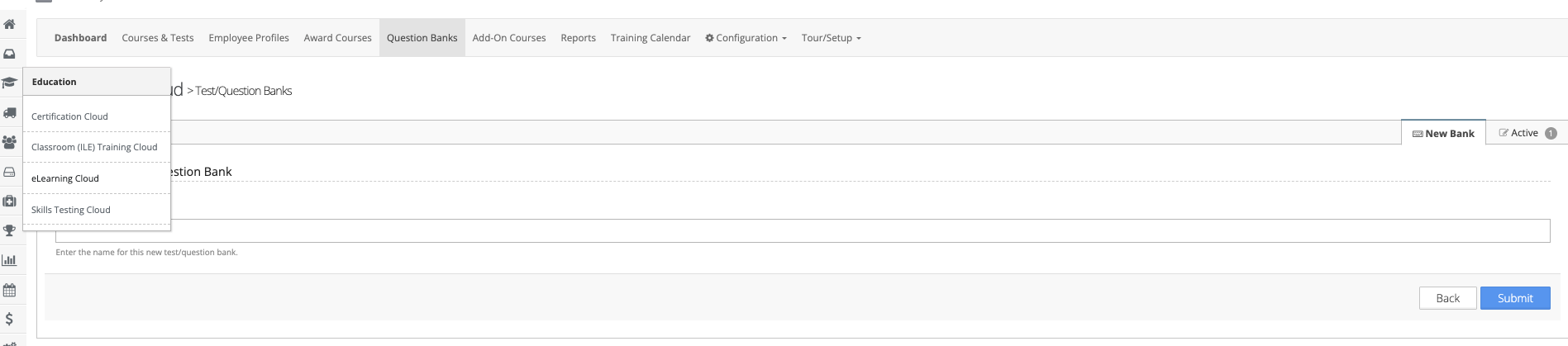
Step 5: Create a New Bank
Select “New Bank” and enter a name for your question bank.
Step 6: Add Questions
Click the Actions button next to your new bank to add questions.
You can typically:
- Add questions manually
- Import questions from a file
- Import from another test or bank
Was this article helpful?
That’s Great!
Thank you for your feedback
Sorry! We couldn't be helpful
Thank you for your feedback
Feedback sent
We appreciate your effort and will try to fix the article