The custom banner message can be used to get out information to third riders in their portal.
Step 1. Log into the Vairkko Platform
Step 2: Select 'Admin' in the upper-right hand side of the screen.
Step 3: Access ‘Schedule Setup’ from the Administrative Toolbar
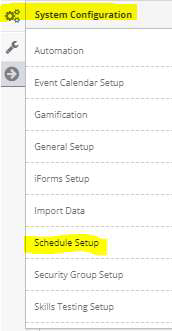
Step 4: Access ‘Riders’ from the in-app menu

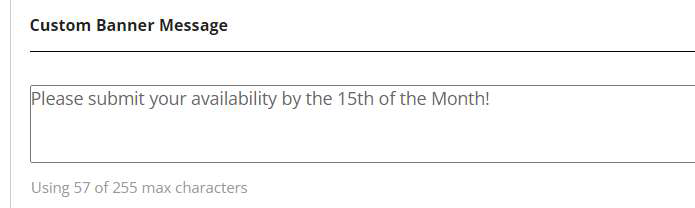
Step 5: Type in a message in the ‘Custom Banner Message’ field.
Was this article helpful?
That’s Great!
Thank you for your feedback
Sorry! We couldn't be helpful
Thank you for your feedback
Feedback sent
We appreciate your effort and will try to fix the article