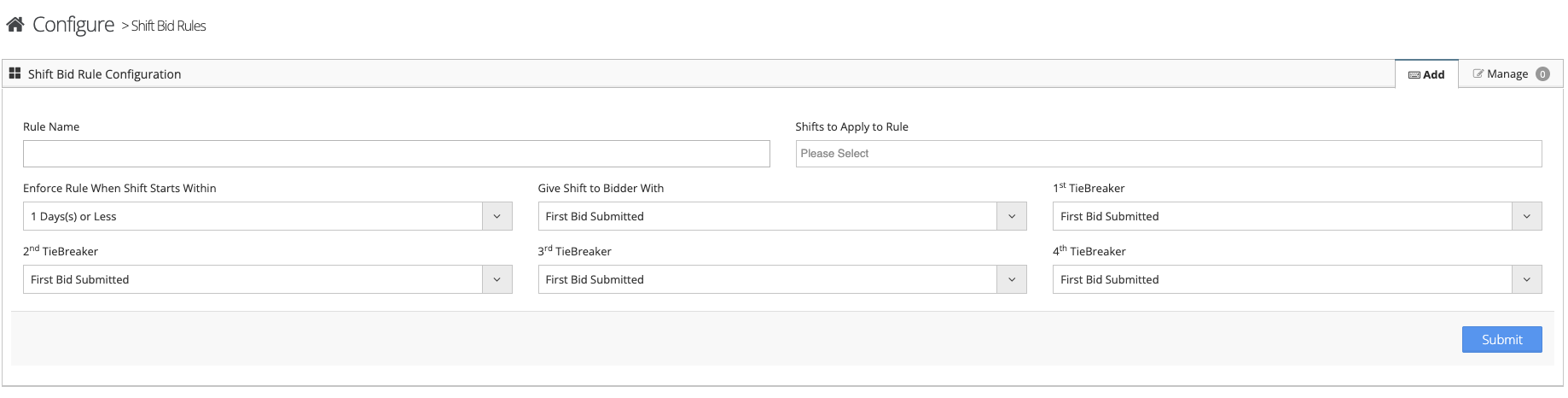
The Automatic Shift Bid rules allow you to configure the system to process the bids submitted by your employees.
- Login to the VAIRKKO 2.0 Platform and select ADMIN in the upper right corner
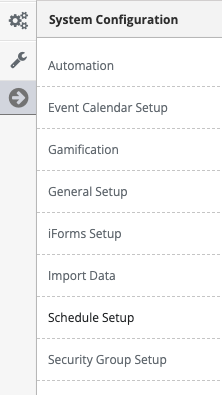
- Select System Configuration then 'Schedule Setup' from the Administrative Toolbar on the left side
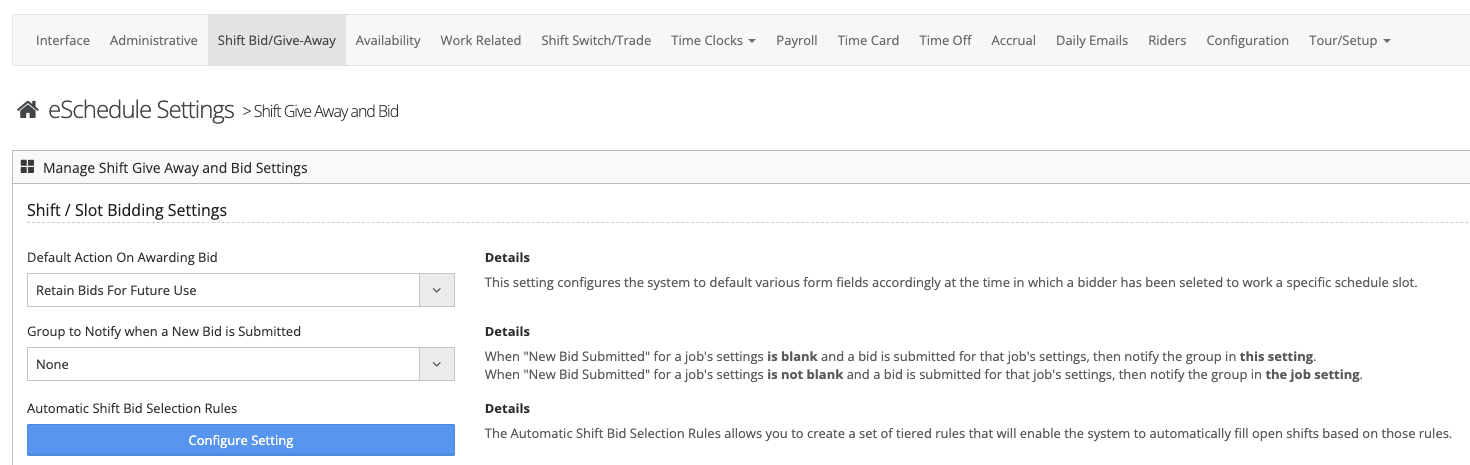
- Select Shift Bid/Give-Away from the in-app menu
4.Select 'Configure Settings' under the Shift Bid Rules Sections
5. From this section you can add individual rules associated with each individual shift template or manage any pre-configured rules.