Step 1: Log into the VAIRKKO Platform
Step 2: Access the Administrative area by clicking 'ADMIN' in the upper right-hand corner.
Step 3: Access 'Account/Billing' from the Administrative Toolbar
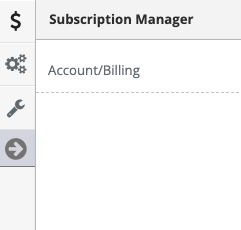
Step 4: Select 'License Management' from the in-app menu at the left of the page.
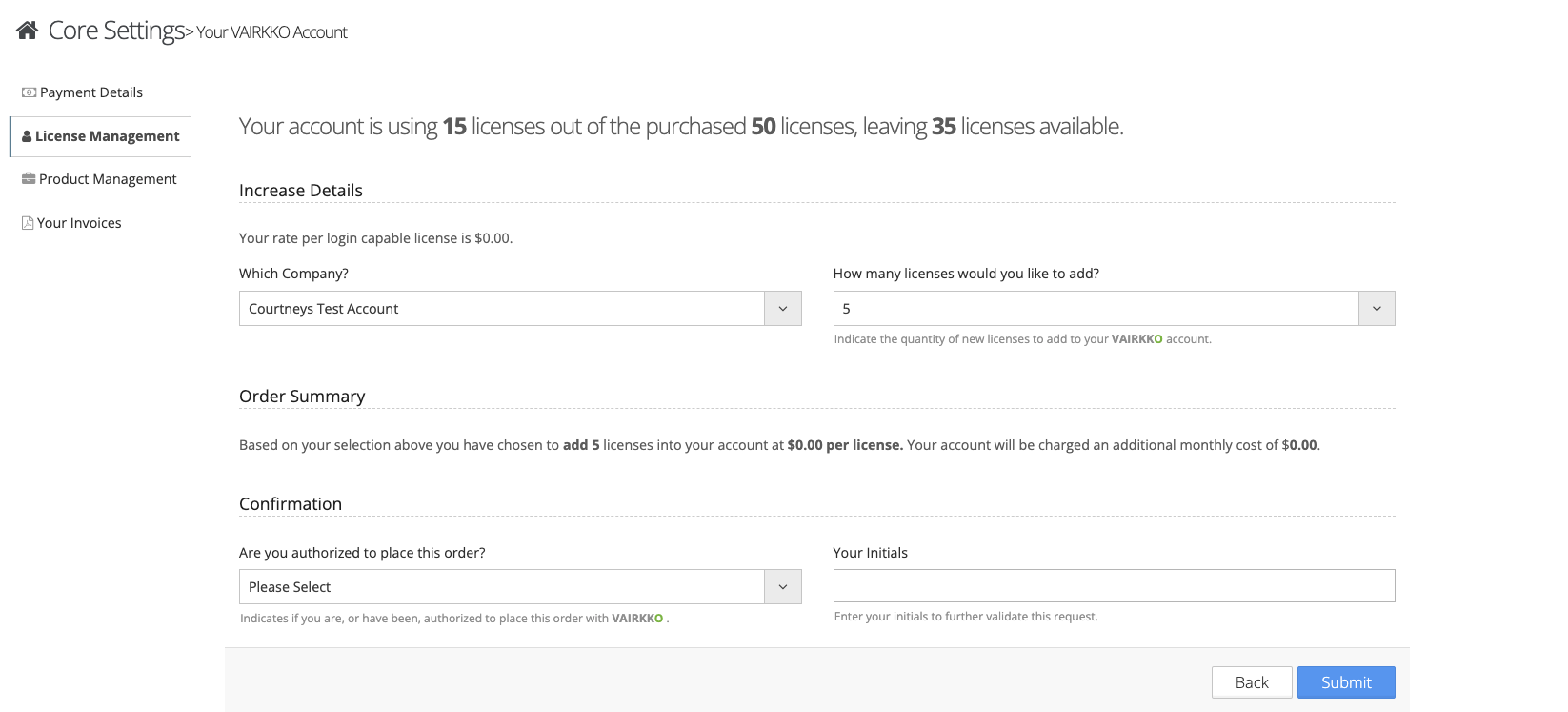 Step 5: Follow the on-screen prompts to add your new licenses.
Additional Information:
- Licenses can only be added in increments of 5.
- The Licenses you add will be active and available for use after hitting the submit button.
- You must contact support@vairkko.com to reduce licenses.
Was this article helpful?
That’s Great!
Thank you for your feedback
Sorry! We couldn't be helpful
Thank you for your feedback
Feedback sent
We appreciate your effort and will try to fix the article