With the site messaging feature you are able to provide your employees with important information when they first log into the platform.
Step 1: Log into the VAIRKKO Platform
Step 2: Access the Administrative area by clicking 'ADMIN' in the upper right-hand corner.
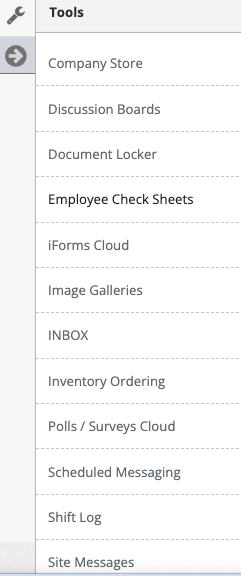
Step 3: Access the 'Site Messages' from the Administrative Toolbar
Step 4: Select the 'Create New' tab
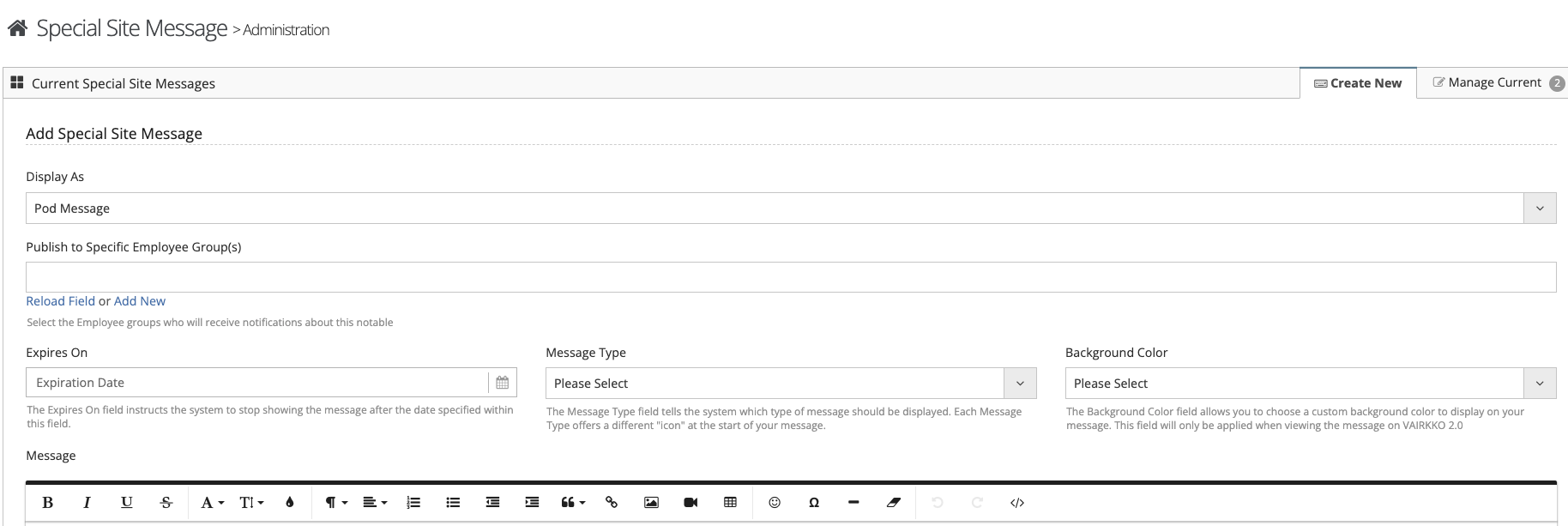
Step 5: Follow the on-screen prompts to configure your site message
Managing Site Messages
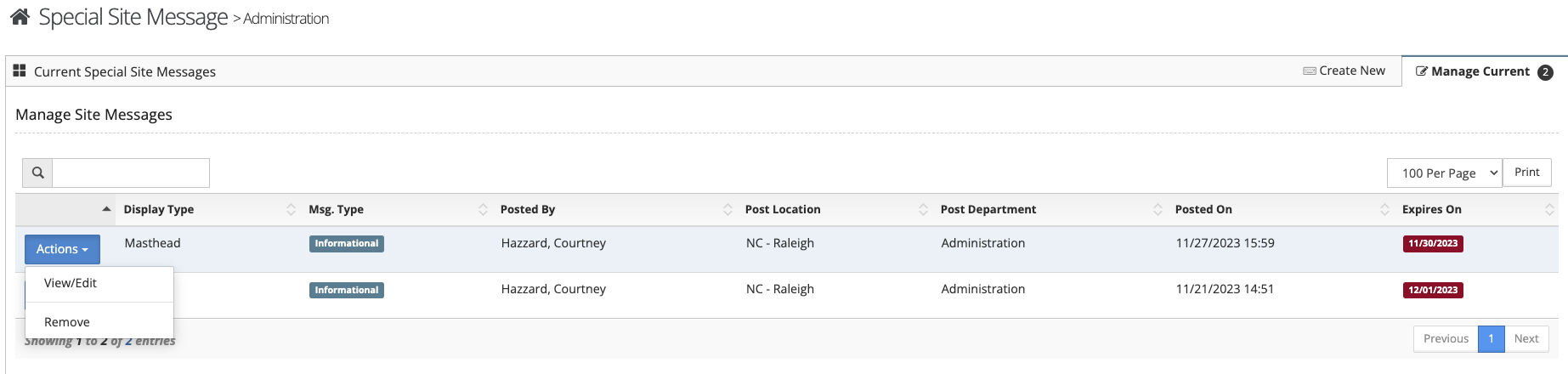
Step 1: Select the 'Manage Current' tab
Step 2: You can view information related to the message from this tab, from the actions button you can edit the message or delete the message.
Additional Information
- A 'Masthead' message is displayed as a banner across the top of the page.
- A 'Pod' message is displayed in the special message pod on the dashboard. This pod has to be active on the dashboard for it to be viewed.
- Only ONE masthead message can be displayed at one time.
- Multiple pod messages can be displayed at once.
Was this article helpful?
That’s Great!
Thank you for your feedback
Sorry! We couldn't be helpful
Thank you for your feedback
Feedback sent
We appreciate your effort and will try to fix the article